More browsing paths
Play Famista (Japan edition · Japanese) Online
Famista
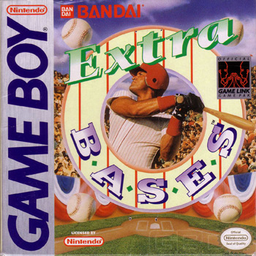
Play Famista online. Choose a baseball team, opposing club, field and starting pitcher before taking turns at bat and in the field.
Browser play
Game Boy (GB) — EmulatorJS controls
Default Player 1 keyboard mapping. Change keys in Controller Settings.
| Console button | Keyboard |
|---|---|
| ↑ / ↓ / ← / → | ↑ / ↓ / ← / → |
| A / B | Z / X |
| START / SELECT | Enter / V |
Open Controller Settings to configure your keyboard or gamepad. Touch controls are available on mobile.
How to Play Famista
Quick start
Press START and choose a five-inning game with Right and A. Select teams, field and pitcher, then try the first A swing as the ball approaches.
Controls
Directional pad: move. A: batting: swing, repeated taps bunt; pitching: throw; fielding with direction: throw to base. B: batting: steal; with direction after a hit: advance runner; pitching: pickoff attempt.
Famista — About this game
Choose a baseball team, opposing club, field and starting pitcher before taking turns at bat and in the field. You control pitching, swinging, baserunning and throws rather than watching a purely managerial simulation. Relief pitchers and tactical choices let you respond as a match develops. Select a shorter five-inning game to learn the change between the batter view and the full diamond display.
Famista Game manuals
Cheats
No cheats have been added for this edition.
Player verification and sources
Browser play was reviewed before this edition was published in the catalogue. The date below is the catalogue publication date, not the game’s original release date.
- Browser test and catalogue publication date
- Browsers and devices
- PC: Chrome, Edge and Firefox. Mobile: Chrome on Android and Safari on iPhone and iPad.
- Player engine and core
- EmulatorJS 4.3.0-pre · gb
- Tested by
- rwEmulator
Sources and editorial basis
rwEmulator reviews edition metadata, release information, game manuals and first-hand browser-play notes. Available manuals are linked below; the editorial policy explains how facts are checked and corrections are handled.