More browsing paths
Play Friday the 13th - The GB Game (Aftermarket / Homebrew · World edition) Online
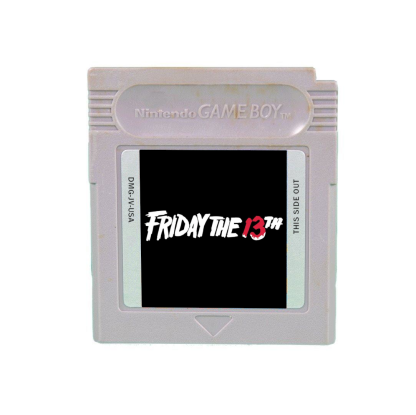
Friday the 13th - The GB Game
Play Friday the 13th - The GB Game online. Choose a camp counsellor and search cabins for an escape from Jason. Follow paths to new screens and inspect containers carefully: useful supplies appear in different places each playthrough.
Browser play
Game Boy (GB) — EmulatorJS controls
Default Player 1 keyboard mapping. Change keys in Controller Settings.
| Console button | Keyboard |
|---|---|
| ↑ / ↓ / ← / → | ↑ / ↓ / ← / → |
| A / B | Z / X |
| START / SELECT | Enter / V |
Open Controller Settings to configure your keyboard or gamepad. Touch controls are available on mobile.
How to Play Friday the 13th - The GB Game
Quick start
Pick a counsellor, search the nearest cabin and follow the paths into neighbouring screens. Keep track of truck supplies or the fuse-and-phone route; if a chest is empty, check another cabin. D-Pad: move/select. A: interact/search and confirm. B: cancel a menu choice. If caught in the bear-trap challenge, press A rapidly: it requires 13 presses in a very short window. Original web J=A, K=B, Enter=START, Shift=SELECT.
Controls
D-Pad: move/select. A: interact/search and confirm. B: cancel a menu choice. If caught in the bear-trap challenge, press A rapidly: it requires 13 presses in a very short window. Original web J=A, K=B, Enter=START, Shift=SELECT.
Friday the 13th - The GB Game — About this game
Choose a camp counsellor and search cabins for an escape from Jason. Follow paths to new screens and inspect containers carefully: useful supplies appear in different places each playthrough. One plan needs keys, a battery and fuel for a truck; another needs a fuse, a fuse box and a telephone to call the police. Decide which route your finds support and keep searching the remaining cabins, watching for hazards rather than assuming an empty chest means the whole area is useless.
Friday the 13th - The GB Game Game manuals
Cheats
No cheats have been added for this edition.
Player verification and sources
Browser play was reviewed before this edition was published in the catalogue. The date below is the catalogue publication date, not the game’s original release date.
- Browser test and catalogue publication date
- Browsers and devices
- PC: Chrome, Edge and Firefox. Mobile: Chrome on Android and Safari on iPhone and iPad.
- Player engine and core
- EmulatorJS 4.3.0-pre · gb
- Tested by
- rwEmulator
Sources and editorial basis
rwEmulator reviews edition metadata, release information, game manuals and first-hand browser-play notes. Available manuals are linked below; the editorial policy explains how facts are checked and corrections are handled.