More browsing paths
Play Game Boy Camera (SGB Enhanced · US_EU edition · English) Online
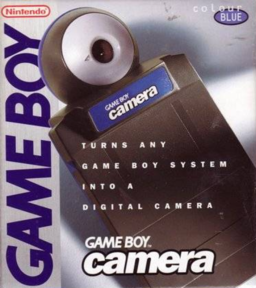
Game Boy Camera
Play Game Boy Camera online for Game Boy. Nintendo’s camera cartridge combines monochrome photography with playful editing and small games.
Browser play
Game Boy (GB) — EmulatorJS controls
Default Player 1 keyboard mapping. Change keys in Controller Settings.
| Console button | Keyboard |
|---|---|
| ↑ / ↓ / ← / → | ↑ / ↓ / ← / → |
| A / B | Z / X |
| START / SELECT | Enter / V |
Open Controller Settings to configure your keyboard or gamepad. Touch controls are available on mobile.
How to Play Game Boy Camera
Quick start
Enter the mode menu and choose SHOOT, then SHOOT again for the viewfinder. When camera input is available, adjust the picture with the D-pad, press A to capture and A again to keep it. B cancels; PLAY opens the games.
Controls
D-pad: move cursor; adjust viewfinder brightness/contrast. A: confirm, take photo or draw according to mode; in PLAY’s shooter, fire. B: cancel/back, or open a save prompt in editing. SELECT: context submenu, including viewfinder effects. START: enter or pause where indicated.
Game Boy Camera — About this game
Nintendo’s camera cartridge combines monochrome photography with playful editing and small games. The original accessory captures images through a rotating lens, then lets you alter brightness, contrast and picture effects before saving an album. Drawing and presentation tools turn photographs into new creations, while PLAY provides shooting and other diversions. Taking new pictures depends on camera input being available in the hardware or emulator you use. Enter the mode menu and choose SHOOT, then SHOOT again for the viewfinder. When camera input is available, adjust the picture with the D-pad, press A to capture and A again to keep it. B cancels; PLAY opens the games.
Game Boy Camera Game manuals
Cheats
No cheats have been added for this edition.
Player verification and sources
Browser play was reviewed before this edition was published in the catalogue. The date below is the catalogue publication date, not the game’s original release date.
- Browser test and catalogue publication date
- Browsers and devices
- PC: Chrome, Edge and Firefox. Mobile: Chrome on Android and Safari on iPhone and iPad.
- Player engine and core
- EmulatorJS 4.3.0-pre · gb
- Tested by
- rwEmulator
Sources and editorial basis
rwEmulator reviews edition metadata, release information, game manuals and first-hand browser-play notes. Available manuals are linked below; the editorial policy explains how facts are checked and corrections are handled.