More browsing paths
Play Game & Watch Gallery (SGB Enhanced · Europe edition · English) Online
Game & Watch Gallery
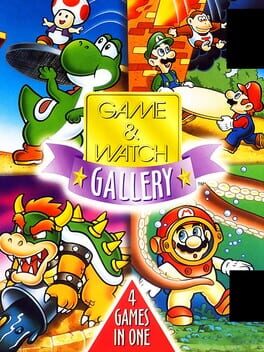
Play Game & Watch Gallery online. Play Manhole, Fire, Octopus and Oil Panic in classic LCD-style versions or modern adaptations with Mario characters.
Browser play
Game Boy (GB) — EmulatorJS controls
Default Player 1 keyboard mapping. Change keys in Controller Settings.
| Console button | Keyboard |
|---|---|
| ↑ / ↓ / ← / → | ↑ / ↓ / ← / → |
| A / B | Z / X |
| START / SELECT | Enter / V |
Open Controller Settings to configure your keyboard or gamepad. Touch controls are available on mobile.
How to Play Game & Watch Gallery
Quick start
Select Fire, then choose a mode and difficulty and confirm with A or START. Fire: Left / B: move left. Right / A: move right. START: pause.
Controls
Fire: Left / B: move left. Right / A: move right. START: pause.
Game & Watch Gallery — About this game
Play Manhole, Fire, Octopus and Oil Panic in classic LCD-style versions or modern adaptations with Mario characters. Each game has a different timing challenge, from catching falling people to carrying treasure past tentacles. Scores unlock gallery material, encouraging repeated attempts and steadier reactions rather than a single long adventure.
Game & Watch Gallery Game manuals
Cheats
No cheats have been added for this edition.
Player verification and sources
Browser play was reviewed before this edition was published in the catalogue. The date below is the catalogue publication date, not the game’s original release date.
- Browser test and catalogue publication date
- Browsers and devices
- PC: Chrome, Edge and Firefox. Mobile: Chrome on Android and Safari on iPhone and iPad.
- Player engine and core
- EmulatorJS 4.3.0-pre · gb
- Tested by
- rwEmulator
Sources and editorial basis
rwEmulator reviews edition metadata, release information, game manuals and first-hand browser-play notes. Available manuals are linked below; the editorial policy explains how facts are checked and corrections are handled.