More browsing paths
Play Hatris (Japan / US edition · English · Edition 151088) Online
Hatris
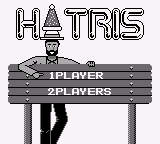
Play Hatris online. Arrange falling pairs of hats into vertical groups of five matching types, keeping six columns below the limit line.
Browser play
Game Boy (GB) — EmulatorJS controls
Default Player 1 keyboard mapping. Change keys in Controller Settings.
| Console button | Keyboard |
|---|---|
| ↑ / ↓ / ← / → | ↑ / ↓ / ← / → |
| A / B | Z / X |
| START / SELECT | Enter / V |
Open Controller Settings to configure your keyboard or gamepad. Touch controls are available on mobile.
How to Play Hatris
Quick start
Start at a low level, move pairs left/right and A-swap their order before dropping with Down. Stack five of one hat type vertically. With Fire stocked, B turns the next right hat into a fireball; aim it at a tall non-crown group rather than wasting it on a clear column.
Controls
Left/Right: move. Down: drop hats faster. A: swap the falling hats. B: spend Fire stock to turn next right hat into fire.
Hatris — About this game
Arrange falling pairs of hats into vertical groups of five matching types, keeping six columns below the limit line. Different hats take up different heights, and a pair can complete two groups for a Hatris bonus. The Game Boy rules add stored fire that burns a top group, with crowns resisting the flame; helmets bring another way to reshape a crowded column. Watch the next pair, build compatible stacks rather than simply filling gaps, and save a fire charge for a column that threatens the rest of the board.
Hatris Game manuals
Cheats
No cheats have been added for this edition.
Player verification and sources
Browser play was reviewed before this edition was published in the catalogue. The date below is the catalogue publication date, not the game’s original release date.
- Browser test and catalogue publication date
- Browsers and devices
- PC: Chrome, Edge and Firefox. Mobile: Chrome on Android and Safari on iPhone and iPad.
- Player engine and core
- EmulatorJS 4.3.0-pre · gb
- Tested by
- rwEmulator
Sources and editorial basis
rwEmulator reviews edition metadata, release information, game manuals and first-hand browser-play notes. Available manuals are linked below; the editorial policy explains how facts are checked and corrections are handled.