More browsing paths
Play Hercules (SGB Enhanced · US_EU edition · English) Online
Hercules
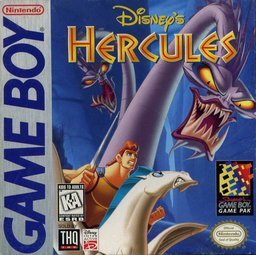
Play Hercules online. Guide Hercules through action stages with a sword, running attacks and carefully timed jumps. Holding attack with a direction builds a run, while jumping from that motion helps cross larger gaps.
Browser play
Game Boy (GB) — EmulatorJS controls
Default Player 1 keyboard mapping. Change keys in Controller Settings.
| Console button | Keyboard |
|---|---|
| ↑ / ↓ / ← / → | ↑ / ↓ / ← / → |
| A / B | Z / X |
| START / SELECT | Enter / V |
Open Controller Settings to configure your keyboard or gamepad. Touch controls are available on mobile.
How to Play Hercules
Quick start
Highlight START and press a button. Practise A sword attacks and B jumps, then hold A with a direction to learn the run before a long jump.
Controls
Directional pad: move. A: sword attack; hold with Left/Right to run and shoulder charge. B: jump; with Down perform a stomp. Down: duck. START: pause.
Hercules — About this game
Guide Hercules through action stages with a sword, running attacks and carefully timed jumps. Holding attack with a direction builds a run, while jumping from that motion helps cross larger gaps. Low passages require crawling, and downward jump attacks offer another way past threats. Watch the health meter and collected equipment, using Phil's guidance as new obstacles and enemies appear.
Hercules Game manuals
Cheats
No cheats have been added for this edition.
Player verification and sources
Browser play was reviewed before this edition was published in the catalogue. The date below is the catalogue publication date, not the game’s original release date.
- Browser test and catalogue publication date
- Browsers and devices
- PC: Chrome, Edge and Firefox. Mobile: Chrome on Android and Safari on iPhone and iPad.
- Player engine and core
- EmulatorJS 4.3.0-pre · gb
- Tested by
- rwEmulator
Sources and editorial basis
rwEmulator reviews edition metadata, release information, game manuals and first-hand browser-play notes. Available manuals are linked below; the editorial policy explains how facts are checked and corrections are handled.