More browsing paths
Play Kirby no Block Ball (SGB Enhanced · Japan edition · English) Online
Kirby no Block Ball
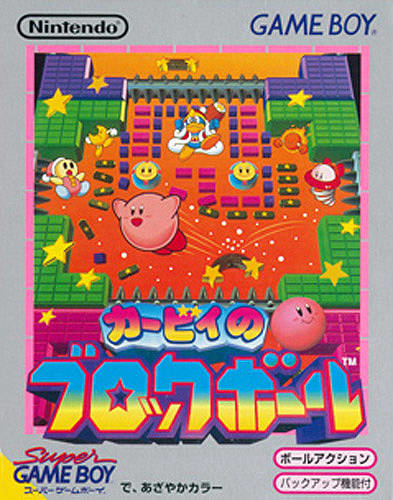
Play Kirby no Block Ball online. Bounce Kirby between paddles to break blocks and defeat enemies. Paddles can appear on several edges, and a well-timed button press strengthens the return.
Browser play
Game Boy (GB) — EmulatorJS controls
Default Player 1 keyboard mapping. Change keys in Controller Settings.
| Console button | Keyboard |
|---|---|
| ↑ / ↓ / ← / → | ↑ / ↓ / ← / → |
| A / B | Z / X |
| START / SELECT | Enter / V |
Open Controller Settings to configure your keyboard or gamepad. Touch controls are available on mobile.
How to Play Kirby no Block Ball
Quick start
At the title screen, press A to begin. Bounce Kirby between paddles to break blocks and defeat enemies. Directional pad: move the paddles. A: launch; press just before contact for a powered return.
Controls
Directional pad: move the paddles. A: launch; press just before contact for a powered return. B: use the acquired power. START: pause.
Kirby no Block Ball — About this game
Bounce Kirby between paddles to break blocks and defeat enemies. Paddles can appear on several edges, and a well-timed button press strengthens the return. Copy powers such as Spark and Burning change the ball's behaviour, so aiming and timing matter as much as keeping Kirby away from the spikes.
Kirby no Block Ball Game manuals
Cheats
No cheats have been added for this edition.
Player verification and sources
Browser play was reviewed before this edition was published in the catalogue. The date below is the catalogue publication date, not the game’s original release date.
- Browser test and catalogue publication date
- Browsers and devices
- PC: Chrome, Edge and Firefox. Mobile: Chrome on Android and Safari on iPhone and iPad.
- Player engine and core
- EmulatorJS 4.3.0-pre · gb
- Tested by
- rwEmulator
Sources and editorial basis
rwEmulator reviews edition metadata, release information, game manuals and first-hand browser-play notes. Available manuals are linked below; the editorial policy explains how facts are checked and corrections are handled.