More browsing paths
Play The Legend of Zelda: Link's Awakening (US_EU edition · Revision Rev 1 · English) Online
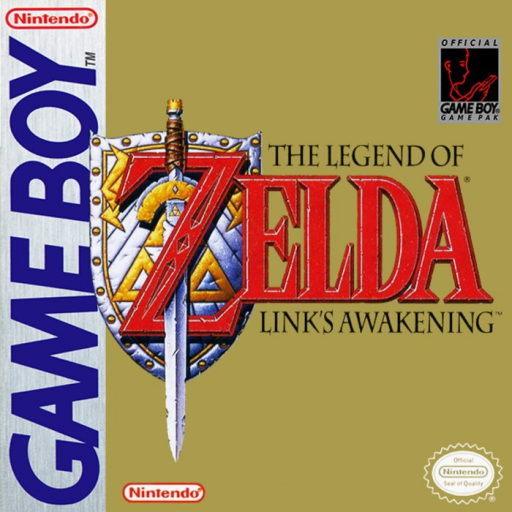
Legend of Zelda, The - Link's Awakening
Play The Legend of Zelda: Link's Awakening online for Game Boy. Explore Koholint Island and recover the instruments needed to wake the Wind Fish.
Browser play
Game Boy (GB) — EmulatorJS controls
Default Player 1 keyboard mapping. Change keys in Controller Settings.
| Console button | Keyboard |
|---|---|
| ↑ / ↓ / ← / → | ↑ / ↓ / ← / → |
| A / B | Z / X |
| START / SELECT | Enter / V |
Open Controller Settings to configure your keyboard or gamepad. Touch controls are available on mobile.
How to Play The Legend of Zelda: Link's Awakening
Quick start
Start a new file, speak to Tarin for your shield, then head to the beach to recover your sword. Follow the owl's advice toward the forest.
Controls
D-pad: move. A/B: use assigned items; A also talks and confirms. START: equipment and dungeon screen. SELECT: island map.
The Legend of Zelda: Link's Awakening — About this game
Shipwrecked on Koholint Island, Link must search its dungeons for eight instruments and discover the mystery of the Wind Fish. Sword fights, puzzles and conversations connect the island's villages and wilderness. Items assigned to A and B open new routes, making each dungeon's treasure useful beyond its walls. Start a new file, speak to Tarin for your shield, then head to the beach to recover your sword. Follow the owl's advice toward the forest.
The Legend of Zelda: Link's Awakening Game manuals
- Game manual 1
- Game manual 2
- Game manual 3
- LoZ_GB_GER_manual.compressed.pdf
- Legend of Zelda, The - Link's Awakening (de).pdf
- booklet_la_jp.pdf
- Legend of Zelda, The - Link's Awakening (ja).pdf
- Legend of Zelda, The - Link's Awakening (en).pdf
- DMG-ZL-UKV_En_1.pdf
- Legend of Zelda, The - Link's Awakening (USA).pdf
- Game manual 11
- Game manual 12
- Game manual 13
- Game manual 14
- Game manual 15
- Game manual 16
Cheats
No cheats have been added for this edition.
Player verification and sources
Browser play was reviewed before this edition was published in the catalogue. The date below is the catalogue publication date, not the game’s original release date.
- Browser test and catalogue publication date
- Browsers and devices
- PC: Chrome, Edge and Firefox. Mobile: Chrome on Android and Safari on iPhone and iPad.
- Player engine and core
- EmulatorJS 4.3.0-pre · gb
- Tested by
- rwEmulator
Sources and editorial basis
rwEmulator reviews edition metadata, release information, game manuals and first-hand browser-play notes. Available manuals are linked below; the editorial policy explains how facts are checked and corrections are handled.
- Game manual 1
- Game manual 2
- Game manual 3
- LoZ_GB_GER_manual.compressed.pdf
- Legend of Zelda, The - Link's Awakening (de).pdf
- booklet_la_jp.pdf
- Legend of Zelda, The - Link's Awakening (ja).pdf
- Legend of Zelda, The - Link's Awakening (en).pdf
- DMG-ZL-UKV_En_1.pdf
- Legend of Zelda, The - Link's Awakening (USA).pdf
- Game manual 11
- Game manual 12
- Game manual 13
- Game manual 14
- Game manual 15
- Game manual 16