More browsing paths
Play Mini Yonku GB Let's & Go!! - All-Star Battle Max (SGB Enhanced · Japan edition · Japanese) Online
Mini Yonku GB Let's & Go!! - All-Star Battle Max
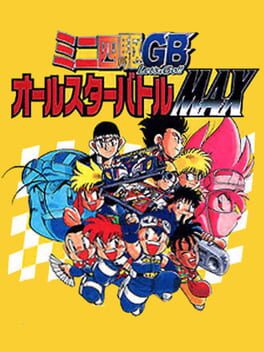
Play Mini Yonku GB Let's & Go!! - All-Star Battle Max online. Join TRF Victorys and prepare miniature racing cars for a world competition decided through team battles.
Browser play
Game Boy (GB) — EmulatorJS controls
Default Player 1 keyboard mapping. Change keys in Controller Settings.
| Console button | Keyboard |
|---|---|
| ↑ / ↓ / ← / → | ↑ / ↓ / ← / → |
| A / B | Z / X |
| START / SELECT | Enter / V |
Open Controller Settings to configure your keyboard or gamepad. Touch controls are available on mobile.
How to Play Mini Yonku GB Let's & Go!! - All-Star Battle Max
Quick start
Use the D-Pad and A to inspect your machine and choose parts; B backs out of menus. Try the early practice race with the initial setup, then compare its performance before buying changes. In a race, hold A for the available Let’s Go acceleration on a suitable straight, releasing before it causes a course-out. Prepare for surface changes at the pit.
Controls
Directional pad: move the cursor. A: confirm menus; in races hold for the available Let’s Go acceleration. B: cancel or return.
Mini Yonku GB Let's & Go!! - All-Star Battle Max — About this game
Join TRF Victorys and prepare miniature racing cars for a world competition decided through team battles. Shop for parts, adjust the machine to straights, bends and surface changes, then use local races to earn money and train the GP chip. Raw speed is only useful when the car stays on the course: stability, motor heat and battery use also deserve attention. A well-timed start helps, while the limited Let’s Go acceleration can waste a good setup if used recklessly near a corner. Learn from the last run before replacing another part.
Mini Yonku GB Let's & Go!! - All-Star Battle Max Game manuals
Cheats
No cheats have been added for this edition.
Player verification and sources
Browser play was reviewed before this edition was published in the catalogue. The date below is the catalogue publication date, not the game’s original release date.
- Browser test and catalogue publication date
- Browsers and devices
- PC: Chrome, Edge and Firefox. Mobile: Chrome on Android and Safari on iPhone and iPad.
- Player engine and core
- EmulatorJS 4.3.0-pre · gb
- Tested by
- rwEmulator
Sources and editorial basis
rwEmulator reviews edition metadata, release information, game manuals and first-hand browser-play notes. Available manuals are linked below; the editorial policy explains how facts are checked and corrections are handled.