More browsing paths
Play Namco Gallery Vol.2 (SGB Enhanced · Japan edition · Japanese) Online
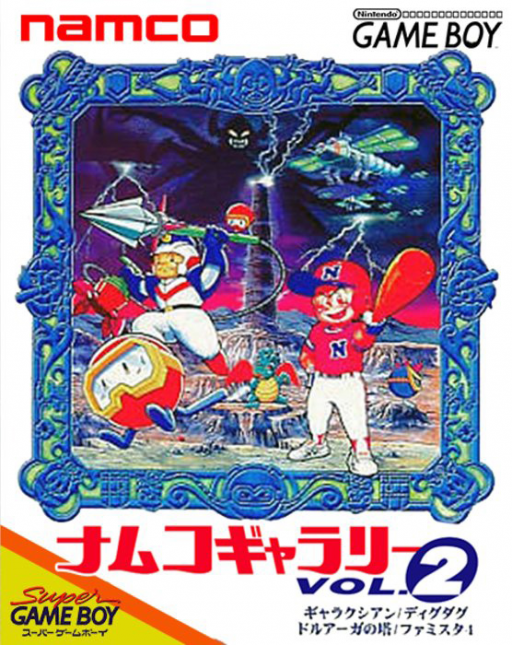
Namco Gallery Vol.2
Play Namco Gallery Vol.2 online. Switch between Galaxian’s diving aliens, Dig Dug’s underground enemies, the mysteries of the Tower of Druaga and Famista 4 baseball.
Browser play
Game Boy (GB) — EmulatorJS controls
Default Player 1 keyboard mapping. Change keys in Controller Settings.
| Console button | Keyboard |
|---|---|
| ↑ / ↓ / ← / → | ↑ / ↓ / ← / → |
| A / B | Z / X |
| START / SELECT | Enter / V |
Open Controller Settings to configure your keyboard or gamepad. Touch controls are available on mobile.
How to Play Namco Gallery Vol.2
Quick start
On the title screen choose GAME with Up/Down and START, then choose a title with Up/Down and A or START. Try Galaxian: left/right moves and either A or B fires. Dig Dug uses the D-Pad to dig and A/B for the harpoon and pump; choose NEW DIGDUG to collect three keys and escape. Read HELP before trying Druaga or Famista.
Controls
Directional pad: menu selection; in each game move its ship, digger, knight or player. A / B: Galaxian fire; Dig Dug harpoon/pump; Druaga hold sword out. A: Famista 4: swing, pitch, throw, leap or return to base. B: Famista 4: advance runners or touch the base. SELECT: Druaga: open or cancel the window. START: start selection; pause during a game.
Namco Gallery Vol.2 — About this game
Switch between Galaxian’s diving aliens, Dig Dug’s underground enemies, the mysteries of the Tower of Druaga and Famista 4 baseball. Dig Dug includes a second mode where collecting three keys opens an exit, changing the goal from defeating every enemy to planning a safe route. Druaga combines sword and shield with hidden treasures and floor passwords, while Famista turns attention to pitching, batting and the runners. Use each title’s help before starting and keep the ranking passwords if you want to restore your recorded results after switching the power off.
Namco Gallery Vol.2 Game manuals
Cheats
No cheats have been added for this edition.
Player verification and sources
Browser play was reviewed before this edition was published in the catalogue. The date below is the catalogue publication date, not the game’s original release date.
- Browser test and catalogue publication date
- Browsers and devices
- PC: Chrome, Edge and Firefox. Mobile: Chrome on Android and Safari on iPhone and iPad.
- Player engine and core
- EmulatorJS 4.3.0-pre · gb
- Tested by
- rwEmulator
Sources and editorial basis
rwEmulator reviews edition metadata, release information, game manuals and first-hand browser-play notes. Available manuals are linked below; the editorial policy explains how facts are checked and corrections are handled.