More browsing paths
Play Qix (World edition · English · Edition 151865) Online
QIX
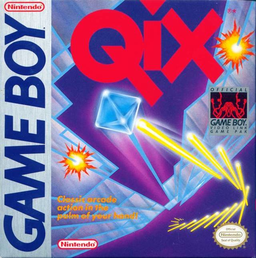
Play Qix online. Draw lines across an open field and reconnect with the border to claim enclosed territory. The wandering Qix threatens unfinished lines, while Sparx patrol the boundaries.
Browser play
Game Boy (GB) — EmulatorJS controls
Default Player 1 keyboard mapping. Change keys in Controller Settings.
| Console button | Keyboard |
|---|---|
| ↑ / ↓ / ← / → | ↑ / ↓ / ← / → |
| A / B | Z / X |
| START / SELECT | Enter / V |
Open Controller Settings to configure your keyboard or gamepad. Touch controls are available on mobile.
How to Play Qix
Quick start
At the title screen, press START to begin. Draw lines across an open field and reconnect with the border to claim enclosed territory. Directional pad: move. A + Directional pad: draw a fast line.
Controls
Directional pad: move. A + Directional pad: draw a fast line. B + Directional pad: draw a slow line for higher points. START: pause.
Qix — About this game
Draw lines across an open field and reconnect with the border to claim enclosed territory. The wandering Qix threatens unfinished lines, while Sparx patrol the boundaries. Fast lines are safer to finish; slow lines earn more points but leave you exposed longer. Capture the required percentage without losing all your markers.
Qix Game manuals
Cheats
No cheats have been added for this edition.
Player verification and sources
Browser play was reviewed before this edition was published in the catalogue. The date below is the catalogue publication date, not the game’s original release date.
- Browser test and catalogue publication date
- Browsers and devices
- PC: Chrome, Edge and Firefox. Mobile: Chrome on Android and Safari on iPhone and iPad.
- Player engine and core
- EmulatorJS 4.3.0-pre · gb
- Tested by
- rwEmulator
Sources and editorial basis
rwEmulator reviews edition metadata, release information, game manuals and first-hand browser-play notes. Available manuals are linked below; the editorial policy explains how facts are checked and corrections are handled.