More browsing paths
Play Radar Mission (Japan edition · English · Edition 151226) Online
Radar Mission
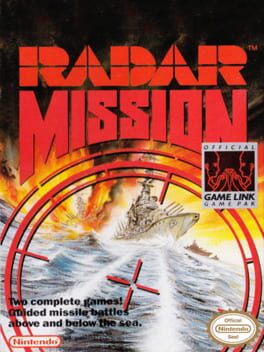
Play Radar Mission online. Command a fleet through two different naval contests. Game A hides ships on a grid: arrange your vessels, choose firing coordinates and use hit reports to locate the enemy.
Browser play
Game Boy (GB) — EmulatorJS controls
Default Player 1 keyboard mapping. Change keys in Controller Settings.
| Console button | Keyboard |
|---|---|
| ↑ / ↓ / ← / → | ↑ / ↓ / ← / → |
| A / B | Z / X |
| START / SELECT | Enter / V |
Open Controller Settings to configure your keyboard or gamepad. Touch controls are available on mobile.
How to Play Radar Mission
Quick start
Select Game A and 1P, confirm ship positions with A, then START to finish deployment. Choose a grid coordinate and press A to fire; follow a hit with nearby squares.
Controls
Directional pad: Game A cursor; Game B move underwater, Up surface/Down dive. A: Game A confirm/fire; Game B torpedo while surfaced. B: Game A remove placed ship; Game B surfaced Vulcan cannon. START: pause.
Radar Mission — About this game
Command a fleet through two different naval contests. Game A hides ships on a grid: arrange your vessels, choose firing coordinates and use hit reports to locate the enemy. Game B puts you in a submarine, using sonar below the surface before rising to launch torpedoes and cannon fire. The enemy fleet or submarine can decide the action battle, so balance hunting ships with avoiding your rival instead of remaining exposed above water.
Radar Mission Game manuals
Cheats
No cheats have been added for this edition.
Player verification and sources
Browser play was reviewed before this edition was published in the catalogue. The date below is the catalogue publication date, not the game’s original release date.
- Browser test and catalogue publication date
- Browsers and devices
- PC: Chrome, Edge and Firefox. Mobile: Chrome on Android and Safari on iPhone and iPad.
- Player engine and core
- EmulatorJS 4.3.0-pre · gb
- Tested by
- rwEmulator
Sources and editorial basis
rwEmulator reviews edition metadata, release information, game manuals and first-hand browser-play notes. Available manuals are linked below; the editorial policy explains how facts are checked and corrections are handled.