More browsing paths
Play Spanky's Quest (US edition · English) Online
Spanky's Quest
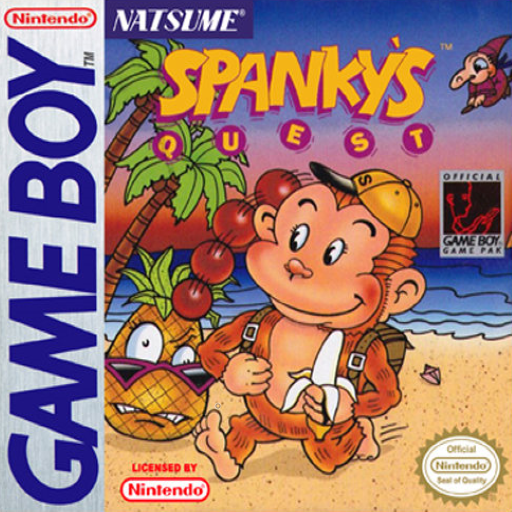
Play Spanky's Quest online for Game Boy. Spanky’s Quest on Game Boy uses a juggling ball to defeat enchanted fruit.
Browser play
Game Boy (GB) — EmulatorJS controls
Default Player 1 keyboard mapping. Change keys in Controller Settings.
| Console button | Keyboard |
|---|---|
| ↑ / ↓ / ← / → | ↑ / ↓ / ← / → |
| A / B | Z / X |
| START / SELECT | Enter / V |
Open Controller Settings to configure your keyboard or gamepad. Touch controls are available on mobile.
How to Play Spanky's Quest
Quick start
Choose a starting tower. Press B to toss a ball, move beneath it for a head bounce and press B again to turn it into an attack. Practise one bounce before trying longer chains.
Controls
Left/Right move; A jumps. B tosses the ball and sends a head-bounced ball as a star attack; hold B while jumping with A for an elevated toss. START confirms tower/starts/pauses. SELECT chooses start/password or continue/end.
Spanky's Quest — About this game
Spanky’s Quest on Game Boy uses a juggling ball to defeat enchanted fruit. Toss the ball, bounce it on the monkey’s head, then send it toward enemies as a star attack. More consecutive head bounces strengthen the shot, so positioning under the ball is as important as jumping between platforms and clearing each tower’s rooms. Choose a starting tower. Press B to toss a ball, move beneath it for a head bounce and press B again to turn it into an attack. Practise one bounce before trying longer chains.
Spanky's Quest Game manuals
Cheats
No cheats have been added for this edition.
Player verification and sources
Browser play was reviewed before this edition was published in the catalogue. The date below is the catalogue publication date, not the game’s original release date.
- Browser test and catalogue publication date
- Browsers and devices
- PC: Chrome, Edge and Firefox. Mobile: Chrome on Android and Safari on iPhone and iPad.
- Player engine and core
- EmulatorJS 4.3.0-pre · gb
- Tested by
- rwEmulator
Sources and editorial basis
rwEmulator reviews edition metadata, release information, game manuals and first-hand browser-play notes. Available manuals are linked below; the editorial policy explains how facts are checked and corrections are handled.