More browsing paths
Play Spud's Adventure (US edition · English) Online
Spud's Adventure
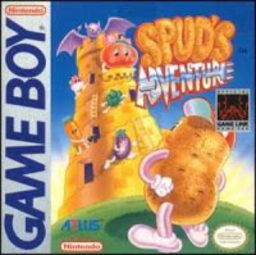
Play Spud's Adventure online. Lead Spud into the Far Tower to rescue Princess Mato from Devi’s kitchen army. Explore overhead rooms, attack with your vegetable’s weapon and recruit rescued companions with different abilities.
Browser play
Game Boy (GB) — EmulatorJS controls
Default Player 1 keyboard mapping. Change keys in Controller Settings.
| Console button | Keyboard |
|---|---|
| ↑ / ↓ / ← / → | ↑ / ↓ / ← / → |
| A / B | Z / X |
| START / SELECT | Enter / V |
Open Controller Settings to configure your keyboard or gamepad. Touch controls are available on mobile.
How to Play Spud's Adventure
Quick start
Choose Adventure with START. Explore the first rooms with the D-Pad and fire B from a safe distance. SELECT checks status; use A to choose a leader after rescuing a companion.
Controls
Directional pad: move. A: choose lead vegetable. B: use current leader’s weapon. SELECT: open status screen. START: start/select mode; skip opening story.
Spud's Adventure — About this game
Lead Spud into the Far Tower to rescue Princess Mato from Devi’s kitchen army. Explore overhead rooms, attack with your vegetable’s weapon and recruit rescued companions with different abilities. Some rooms replace combat with blocks to push, hidden passages or flickering lights, and the route after the first stairs can change between attempts. Check status for strength, keys and remaining lives, then choose the right leader for the next obstacle.
Spud's Adventure Game manuals
Cheats
No cheats have been added for this edition.
Player verification and sources
Browser play was reviewed before this edition was published in the catalogue. The date below is the catalogue publication date, not the game’s original release date.
- Browser test and catalogue publication date
- Browsers and devices
- PC: Chrome, Edge and Firefox. Mobile: Chrome on Android and Safari on iPhone and iPad.
- Player engine and core
- EmulatorJS 4.3.0-pre · gb
- Tested by
- rwEmulator
Sources and editorial basis
rwEmulator reviews edition metadata, release information, game manuals and first-hand browser-play notes. Available manuals are linked below; the editorial policy explains how facts are checked and corrections are handled.