More browsing paths
Play Woolball's Backyard (Aftermarket / Homebrew · World edition) Online
Woolball's Backyard
Play Woolball's Backyard for Game Boy online. Help Woolball the ram find the lost flock and make it home through a small platform adventure
Browser play
Game Boy (GB) — EmulatorJS controls
Default Player 1 keyboard mapping. Change keys in Controller Settings.
| Console button | Keyboard |
|---|---|
| ↑ / ↓ / ← / → | ↑ / ↓ / ← / → |
| A / B | Z / X |
| START / SELECT | Enter / V |
Open Controller Settings to configure your keyboard or gamepad. Touch controls are available on mobile.
How to Play Woolball's Backyard
Quick start
Walk to the first ledges and practise jumping, then ram a rock to open the route. Use the pillars on your way toward the family.
Controls
D-pad: walk. A: jump. B: ram. SELECT: retry. Ram rocks to break them, but steer clear of harmful plants.
Woolball's Backyard — About this game
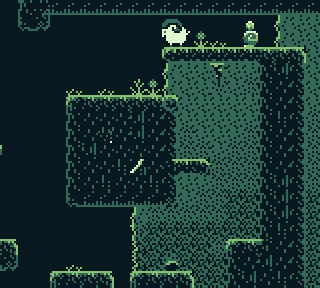
Help Woolball the ram find the lost flock and make it home through a small platform adventure. Leap between ledges, ram rocks out of the way and avoid the plants that hurt on contact. Pillars mark checkpoints along the route. Once the family is reached, try the extra challenge of crossing the backyard back to the beginning without checkpoints. Walk to the first ledges and practise jumping, then ram a rock to open the route. Use the pillars on your way toward the family.
Woolball's Backyard Game manuals
Cheats
No cheats have been added for this edition.
Player verification and sources
Browser play was reviewed before this edition was published in the catalogue. The date below is the catalogue publication date, not the game’s original release date.
- Browser test and catalogue publication date
- Browsers and devices
- PC: Chrome, Edge and Firefox. Mobile: Chrome on Android and Safari on iPhone and iPad.
- Player engine and core
- EmulatorJS 4.3.0-pre · gb
- Tested by
- rwEmulator
Sources and editorial basis
rwEmulator reviews edition metadata, release information, game manuals and first-hand browser-play notes. Available manuals are linked below; the editorial policy explains how facts are checked and corrections are handled.