More browsing paths
Play Worms (Europe edition · English) Online
Worms
Play Worms online. Lead a worm team through turn-based artillery battles on uneven landscapes. Move the active worm into position, choose a weapon and judge the strength needed to reach an opponent without endangering your own side.
Browser play
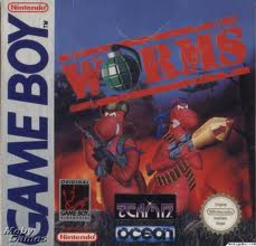
Game Boy (GB) — EmulatorJS controls
Default Player 1 keyboard mapping. Change keys in Controller Settings.
| Console button | Keyboard |
|---|---|
| ↑ / ↓ / ← / → | ↑ / ↓ / ← / → |
| A / B | Z / X |
| START / SELECT | Enter / V |
Open Controller Settings to configure your keyboard or gamepad. Touch controls are available on mobile.
How to Play Worms
Quick start
Choose a human team and a computer opponent for practice. Move before the turn expires, use SELECT to reach the weapon panel, and try A fire/B jump from a safe position without aiming through allies.
Controls
Directional pad: move. A: fire weapon. B: jump. START: pause. SELECT: cycle team energy and weapon panels.
Worms — About this game
Lead a worm team through turn-based artillery battles on uneven landscapes. Move the active worm into position, choose a weapon and judge the strength needed to reach an opponent without endangering your own side. Terrain and the remaining team energy change what counts as a safe shot. The weapon panel and falling crates offer new options, but a turn’s time limit makes planning before movement as important as firing accurately.
Worms Game manuals
Cheats
No cheats have been added for this edition.
Player verification and sources
Browser play was reviewed before this edition was published in the catalogue. The date below is the catalogue publication date, not the game’s original release date.
- Browser test and catalogue publication date
- Browsers and devices
- PC: Chrome, Edge and Firefox. Mobile: Chrome on Android and Safari on iPhone and iPad.
- Player engine and core
- EmulatorJS 4.3.0-pre · gb
- Tested by
- rwEmulator
Sources and editorial basis
rwEmulator reviews edition metadata, release information, game manuals and first-hand browser-play notes. Available manuals are linked below; the editorial policy explains how facts are checked and corrections are handled.