More browsing paths
Play Daikatana (繁 / unknown · Traditional Chinese) Online
大刀
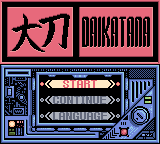
Play Daikatana online for GBC. Guide Hiro through a top-down adventure, push boxes, cross gaps, find keys and choose weapons as you travel through time. Traditional Chinese fan translation.
Browser play
Game Boy Color (GBC) — EmulatorJS controls
Default Player 1 keyboard mapping. Change keys in Controller Settings.
| Console button | Keyboard |
|---|---|
| ↑ / ↓ / ← / → | ↑ / ↓ / ← / → |
| A / B | Z / X |
| START / SELECT | Enter / V |
Open Controller Settings to configure your keyboard or gamepad. Touch controls are available on mobile.
How to Play Daikatana
Quick start
Begin a new adventure and read the opening conversation before taking the stairs into the dojo. Stand below the box and hold B with Up to push it; release B and press it again for another push. Collect the ion blaster, practise A jumps across the next room’s gaps and use the floor switch to open the onward route. Check health and equipment before the first fight.
Controls
Use the D-pad to move, including diagonally. A jumps; begin moving before jumping to cover more ground. B interacts with doors and movable objects, or attacks when no interaction is available. Release and press B again between box pushes. SELECT opens item and weapon selection. START opens the save screen; choose a slot to keep progress.
Daikatana — About this game
Each room asks you to read the layout before rushing ahead. Move boxes into place, step on floor switches and search for the keys or equipment needed to open another route. Jumping helps cross gaps, but it does not let you pass safely through enemies. Weapons are chosen through the inventory, so adjust your equipment as rooms change. Health and armor matter before combat, and saving progress lets you return to the adventure later.
This edition presents the game in Traditional Chinese.
Daikatana Game manuals
Cheats
No cheats have been added for this edition.
Player verification and sources
Browser play was reviewed before this edition was published in the catalogue. The date below is the catalogue publication date, not the game’s original release date.
- Browser test and catalogue publication date
- Browsers and devices
- PC: Chrome, Edge and Firefox. Mobile: Chrome on Android and Safari on iPhone and iPad.
- Player engine and core
- EmulatorJS 4.3.0-pre · gb
- Tested by
- rwEmulator
Sources and editorial basis
rwEmulator reviews edition metadata, release information, game manuals and first-hand browser-play notes. Available manuals are linked below; the editorial policy explains how facts are checked and corrections are handled.