More browsing paths
Play Densha de Go! (简 / 混沌星辰 · Simplified Chinese) Online
电车Go!
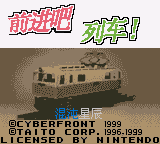
Play Densha de Go! online on GBC. Drive between stations while balancing the timetable, speed restrictions and a precise stop at the platform. Simplified Chinese fan translation.
Browser play
Game Boy Color (GBC) — EmulatorJS controls
Default Player 1 keyboard mapping. Change keys in Controller Settings.
| Console button | Keyboard |
|---|---|
| ↑ / ↓ / ← / → | ↑ / ↓ / ← / → |
| A / B | Z / X |
| START / SELECT | Enter / V |
Open Controller Settings to configure your keyboard or gamepad. Touch controls are available on mobile.
How to Play Densha de Go!
Quick start
Choose a service, read its driving guide and practise an early, controlled stop at the first station.
Controls
D-pad and the displayed power/brake controls drive the train; check the selected control scheme before departure. Menus use directions, A to confirm and B to return.
Densha de Go! — About this game
Apply power gradually and watch both speed and remaining distance. Begin slowing before the station, then adjust the brake as the target approaches instead of holding one setting throughout. Compare the final stop with the marker and use that result to plan the next approach; reaching the platform quickly is only part of a good run.
This edition presents the game in Simplified Chinese.
Cheats
No cheats have been added for this edition.
Player verification and sources
Browser play was reviewed before this edition was published in the catalogue. The date below is the catalogue publication date, not the game’s original release date.
- Browser test and catalogue publication date
- Browsers and devices
- PC: Chrome, Edge and Firefox. Mobile: Chrome on Android and Safari on iPhone and iPad.
- Player engine and core
- EmulatorJS 4.3.0-pre · gb
- Tested by
- rwEmulator
Sources and editorial basis
rwEmulator reviews edition metadata, release information, game manuals and first-hand browser-play notes. Available manuals are linked below; the editorial policy explains how facts are checked and corrections are handled.