More browsing paths
Play Super Robot Taisen Final Vol.1 (繁 / SKOB · Traditional Chinese) Online
超级机器人大战F完结篇
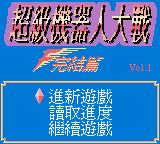
Play Super Robot Taisen Final Vol.1 online on Game Boy Color. Command robots across tactical maps in this Chinese SKOB release, known as Super Robot Taisen Final Vol.1. Conversations connect the battles, while unit position and survival shape the next decision.
Browser play
Game Boy Color (GBC) — EmulatorJS controls
Default Player 1 keyboard mapping. Change keys in Controller Settings.
| Console button | Keyboard |
|---|---|
| ↑ / ↓ / ← / → | ↑ / ↓ / ← / → |
| A / B | Z / X |
| START / SELECT | Enter / V |
Open Controller Settings to configure your keyboard or gamepad. Touch controls are available on mobile.
How to Play Super Robot Taisen Final Vol.1
Quick start
Start a new game, read the introduction and examine the first map. Select a robot, inspect its movement and commands and make one purposeful move.
Controls
The D-pad selects map positions and robot commands, A confirms and B cancels or returns where offered. Movement and attack use the battle menus; inspect the target and unit information before accepting an order.
Super Robot Taisen Final Vol.1 — About this game
Read the starting force and keep weaker units away from an unsupported front. Compare available attacks and the target before giving an order. After a clash, check who can still act and where support is needed instead of advancing every robot at once.
Cheats
No cheats have been added for this edition.
Player verification and sources
Browser play was reviewed before this edition was published in the catalogue. The date below is the catalogue publication date, not the game’s original release date.
- Browser test and catalogue publication date
- Browsers and devices
- PC: Chrome, Edge and Firefox. Mobile: Chrome on Android and Safari on iPhone and iPad.
- Player engine and core
- EmulatorJS 4.3.0-pre · gb
- Tested by
- rwEmulator
Sources and editorial basis
rwEmulator reviews edition metadata, release information, game manuals and first-hand browser-play notes. Available manuals are linked below; the editorial policy explains how facts are checked and corrections are handled.