More browsing paths
Play Chiki Chiki Boys (World edition · Edition 136573) Online
Chiki Chiki Boys
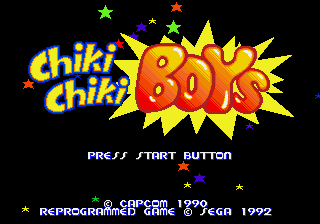
Play Chiki Chiki Boys online and guide a sword-wielding brother through fantasy stages. Use limited magic, wall jumps, and rapid slashes, collect coins, buy weapon and vitality upgrades, and defeat each boss.
Browser play
Sega Genesis / Mega Drive — EmulatorJS controls
Default Player 1 keyboard mapping. Change keys in Controller Settings.
| Console button | Keyboard |
|---|---|
| ↑ / ↓ / ← / → | ↑ / ↓ / ← / → |
| A / B / C | S / X / Z |
| X / Y / Z | Q / A / E |
| START / MODE | Enter / V |
Open Controller Settings to configure your keyboard or gamepad. Touch controls are available on mobile.
How to Play Chiki Chiki Boys
Quick start
Choose one of the two brothers and begin on Normal. Tap B repeatedly for a rapid sword combo, use C to jump, and hold it for extra height. Jump toward a wall to kick away from it; another jump input during the wall action helps climb narrow shafts. A consumes one Magic Orb, so save magic for crowded rooms or bosses. Collect coins and visit shops to improve the sword and shield or buy magic and vitality items before the next round boss.
Controls
D-pad: move, duck with Down, and move cursors on name and shop screens. A: use one Magic Orb. B: swing the sword; tap repeatedly for a rapid slash. C: jump; hold for more height, use with Down to drop to a lower platform, and use against walls for wall jumps. Start: begin, pause/resume, or continue. The A/B/C layout can be changed in Options.
Chiki Chiki Boys Game manuals
Cheats
No cheats have been added for this edition.
Player verification and sources
Browser play was reviewed before this edition was published in the catalogue. The date below is the catalogue publication date, not the game’s original release date.
- Browser test and catalogue publication date
- Browsers and devices
- PC: Chrome, Edge and Firefox. Mobile: Chrome on Android and Safari on iPhone and iPad.
- Player engine and core
- EmulatorJS 4.3.0-pre · segaMD
- Tested by
- rwEmulator
Sources and editorial basis
rwEmulator reviews edition metadata, release information, game manuals and first-hand browser-play notes. Available manuals are linked below; the editorial policy explains how facts are checked and corrections are handled.