More browsing paths
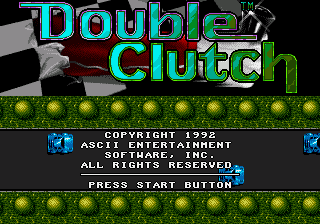
Play Double Clutch (Europe edition · Revision Beta) Online
Double Clutch
Play Double Clutch online on Mega Drive. Learn each course, control speed through corners, avoid costly collisions, and race for a faster finish in your browser.
Browser play
Sega Genesis / Mega Drive — EmulatorJS controls
Default Player 1 keyboard mapping. Change keys in Controller Settings.
| Console button | Keyboard |
|---|---|
| ↑ / ↓ / ← / → | ↑ / ↓ / ← / → |
| A / B / C | S / X / Z |
| X / Y / Z | Q / A / E |
| START / MODE | Enter / V |
Open Controller Settings to configure your keyboard or gamepad. Touch controls are available on mobile.
How to Play Double Clutch
Quick start
Choose a single race and an automatic transmission while learning. Brake before entering a bend, steer smoothly through the apex, then accelerate as the car straightens; holding full throttle while turning only sends the car wide. Watch the course map and rival markers, use brief boosts or aggressive moves on straights, and avoid contact that costs more speed than an overtake gains. Once the circuit is familiar, switch to manual gears and shift before the engine reaches its limit.
Controls
D-pad Left/Right: steer; Up/Down selects gears with manual transmission. A: accelerate. B: brake. C: use boost, horn, or the race’s secondary action. Start: pause. Menus choose vehicle, track, transmission, and race mode.
Cheats
No cheats have been added for this edition.
Player verification and sources
Browser play was reviewed before this edition was published in the catalogue. The date below is the catalogue publication date, not the game’s original release date.
- Browser test and catalogue publication date
- Browsers and devices
- PC: Chrome, Edge and Firefox. Mobile: Chrome on Android and Safari on iPhone and iPad.
- Player engine and core
- EmulatorJS 4.3.0-pre · segaMD
- Tested by
- rwEmulator
Sources and editorial basis
rwEmulator reviews edition metadata, release information, game manuals and first-hand browser-play notes. Available manuals are linked below; the editorial policy explains how facts are checked and corrections are handled.