More browsing paths
Play Duke Nukem 3D (Brazil edition) Online
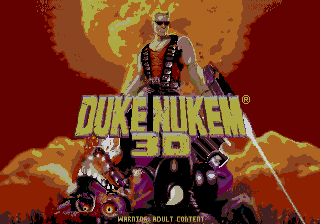
Duke Nukem 3D
Play Duke Nukem 3D online on Sega Mega Drive. Explore first-person levels, find coloured keys, open secret areas, collect weapons and armour, strafe around aliens, and conserve heavy ammunition.
Browser play
Sega Genesis / Mega Drive — EmulatorJS controls
Default Player 1 keyboard mapping. Change keys in Controller Settings.
| Console button | Keyboard |
|---|---|
| ↑ / ↓ / ← / → | ↑ / ↓ / ← / → |
| A / B / C | S / X / Z |
| X / Y / Z | Q / A / E |
| START / MODE | Enter / V |
Open Controller Settings to configure your keyboard or gamepad. Touch controls are available on mobile.
How to Play Duke Nukem 3D
Quick start
Begin on the easiest skill and move through each corridor with the shotgun ready. Fire in short bursts, strafe around enemies instead of standing still, and search wall recesses for keys, health, armour, ammunition, and weapon upgrades. Use the automap to avoid circling the same rooms. Save rockets for clustered enemies or bosses and never fire explosives against a wall at close range.
Controls
D-pad Up/Down: move forward/back; Left/Right: turn. A: fire. B: open doors/use and strafe modifier where supported. C: change weapon. Start: pause or open status/map. Collect coloured keys to open matching doors and monitor health, armour, ammunition, and the current weapon.
Duke Nukem 3D Game manuals
Cheats
No cheats have been added for this edition.
Player verification and sources
Browser play was reviewed before this edition was published in the catalogue. The date below is the catalogue publication date, not the game’s original release date.
- Browser test and catalogue publication date
- Browsers and devices
- PC: Chrome, Edge and Firefox. Mobile: Chrome on Android and Safari on iPhone and iPad.
- Player engine and core
- EmulatorJS 4.3.0-pre · segaMD
- Tested by
- rwEmulator
Sources and editorial basis
rwEmulator reviews edition metadata, release information, game manuals and first-hand browser-play notes. Available manuals are linked below; the editorial policy explains how facts are checked and corrections are handled.