More browsing paths
Play Gaiares (World edition) Online
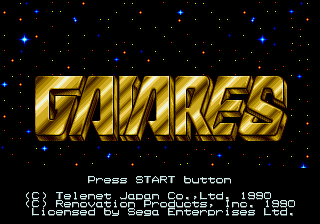
Gaiares
Play Gaiares online on Sega Genesis, launch TOZ to copy enemy weapons, raise them through three power levels and switch ship speed through a demanding space shooter.
Browser play
Sega Genesis / Mega Drive — EmulatorJS controls
Default Player 1 keyboard mapping. Change keys in Controller Settings.
| Console button | Keyboard |
|---|---|
| ↑ / ↓ / ← / → | ↑ / ↓ / ← / → |
| A / B / C | S / X / Z |
| X / Y / Z | Q / A / E |
| START / MODE | Enter / V |
Open Controller Settings to configure your keyboard or gamepad. Touch controls are available on mobile.
How to Play Gaiares
Quick start
Do not rush the first enemy waves. Stay back long enough to identify a useful target, then launch TOZ with C to copy its weapon. Capturing the same weapon type repeatedly raises it as far as level three, but your ship cannot fire while TOZ is searching, so deploy it from a safe lane. Use A to cycle among three ship speeds: slow control helps in tight terrain, while the faster settings reposition you around large patterns. Keep B firing and treat scenery as seriously as enemy bullets.
Controls
The D-pad moves the ship in eight directions. A cycles through three movement speeds, B fires the main weapon rapidly, and C launches or recalls the TOZ system. When TOZ contacts an eligible enemy it copies that weapon; repeated captures of the same type can raise it to level three. The ship cannot shoot while TOZ is searching. Start begins and pauses play. Menu choices use the D-pad and a face button to confirm.
Gaiares Game manuals
Cheats
No cheats have been added for this edition.
Player verification and sources
Browser play was reviewed before this edition was published in the catalogue. The date below is the catalogue publication date, not the game’s original release date.
- Browser test and catalogue publication date
- Browsers and devices
- PC: Chrome, Edge and Firefox. Mobile: Chrome on Android and Safari on iPhone and iPad.
- Player engine and core
- EmulatorJS 4.3.0-pre · segaMD
- Tested by
- rwEmulator
Sources and editorial basis
rwEmulator reviews edition metadata, release information, game manuals and first-hand browser-play notes. Available manuals are linked below; the editorial policy explains how facts are checked and corrections are handled.