More browsing paths
Play Light Crusader (Translation · Simplified Chinese) Online
光明十字军
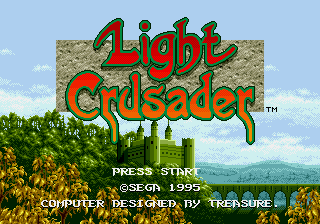
Play Light Crusader online. Play the Knight David into the Angular Magnaics, using swordsmanship, elemental magic, equipment and boxing to rescue the missing town.
Browser play
Sega Genesis / Mega Drive — EmulatorJS controls
Default Player 1 keyboard mapping. Change keys in Controller Settings.
| Console button | Keyboard |
|---|---|
| ↑ / ↓ / ← / → | ↑ / ↓ / ← / → |
| A / B / C | S / X / Z |
| X / Y / Z | Q / A / E |
| START / MODE | Enter / V |
Open Controller Settings to configure your keyboard or gamepad. Touch controls are available on mobile.
How to Play Light Crusader
Quick start
First, we talk to the townmen, then we explore the castle, and find the missing, the keys and the equipment. The common enemy solves it with a sword, leaving magic to the enemy or the apparatus. Push the box down, watch the symbols of the elements on the wall and combine magic. Angular views are prone to error, and David is aligned to the edge of the platform before jumping, and the menu is replaced with a stronger sword, armor and gloves.
Controls
Direction: Move and operate the menu. A: Put the current magic, confirm. B: Wave, cancel. C: Jump, confirm. START: Open the device/status menu. Jump can swing the sword, magic depends on the combination of the elements of the device.
Light Crusader Game manuals
- Game manual 1
- Game manual 2
- Game manual 3
- Game manual 4
- Light Crusader (ja).pdf
- Lightcrusader_md_jp_manual.pdf
- Light Crusader (fr).pdf
- Light_Crusader_MD_FR_Manual.pdf
- Light Crusader (en).pdf
- Game manual 10
- LIGHT_CRUSADER.pdf
- Game manual 12
- LIGHT_CRUSADER.pdf
- Light_Crusader_MD_US_Manual.pdf
- Game manual 15
- 50_manuals_jp.pdf
- 50_manuals_us.pdf
- Game manual 18
- 06 LC_PC_MG_EFIGS_US_v6.pdf
Cheats
No cheats have been added for this edition.
Player verification and sources
Browser play was reviewed before this edition was published in the catalogue. The date below is the catalogue publication date, not the game’s original release date.
- Browser test and catalogue publication date
- Browsers and devices
- PC: Chrome, Edge and Firefox. Mobile: Chrome on Android and Safari on iPhone and iPad.
- Player engine and core
- EmulatorJS 4.3.0-pre · segaMD
- Tested by
- rwEmulator
Sources and editorial basis
rwEmulator reviews edition metadata, release information, game manuals and first-hand browser-play notes. Available manuals are linked below; the editorial policy explains how facts are checked and corrections are handled.
- Game manual 1
- Game manual 2
- Game manual 3
- Game manual 4
- Light Crusader (ja).pdf
- Lightcrusader_md_jp_manual.pdf
- Light Crusader (fr).pdf
- Light_Crusader_MD_FR_Manual.pdf
- Light Crusader (en).pdf
- Game manual 10
- LIGHT_CRUSADER.pdf
- Game manual 12
- LIGHT_CRUSADER.pdf
- Light_Crusader_MD_US_Manual.pdf
- Game manual 15
- 50_manuals_jp.pdf
- 50_manuals_us.pdf
- Game manual 18
- 06 LC_PC_MG_EFIGS_US_v6.pdf