More browsing paths
Play Menacer 6-Game Cartridge Online
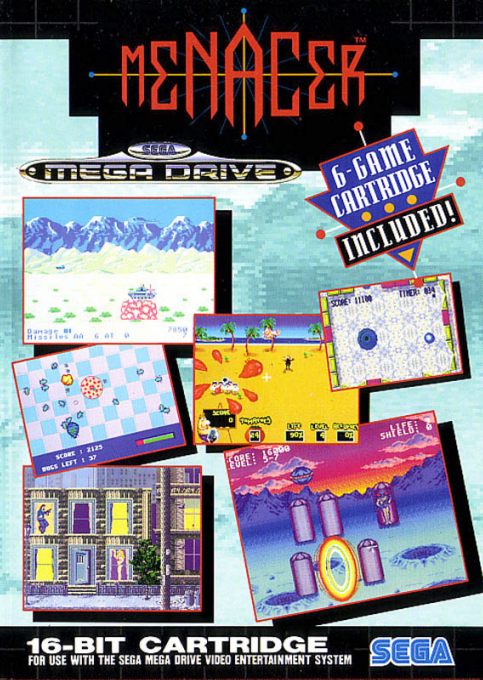
Menacer 6-Game Cartridge
Play Menacer 6-Game Cartridge online on Mega Drive. Browse its included games, switch between different play styles, and enjoy the compilation directly in your browser.
Browser play
Sega Genesis / Mega Drive — EmulatorJS controls
Default Player 1 keyboard mapping. Change keys in Controller Settings.
| Console button | Keyboard |
|---|---|
| ↑ / ↓ / ← / → | ↑ / ↓ / ← / → |
| A / B / C | S / X / Z |
| X / Y / Z | Q / A / E |
| START / MODE | Enter / V |
Open Controller Settings to configure your keyboard or gamepad. Touch controls are available on mobile.
How to Play Menacer 6-Game Cartridge
Quick start
Calibrate the Menacer before selecting one of the six games. Keep the gun steady, use the trigger for primary shots and watch each game’s rule panel: protect the pizza in Pest Control, follow pod patterns in Space Station Defender, return the ball in Whack Ball, or hit only valid targets in the three shooting galleries. Reload or use auxiliary functions exactly where the screen indicates.
Controls
Menacer aim: move the on-screen sight. Trigger: primary fire or hit. A/B/C buttons on the gun provide game-specific secondary actions, such as changing view or reloading; the manual’s prompt appears before each game. Start on a control pad opens the selection menu. Calibrate from the normal playing distance before starting.
Menacer 6-Game Cartridge Game manuals
Cheats
No cheats have been added for this edition.
Player verification and sources
Browser play was reviewed before this edition was published in the catalogue. The date below is the catalogue publication date, not the game’s original release date.
- Browser test and catalogue publication date
- Browsers and devices
- PC: Chrome, Edge and Firefox. Mobile: Chrome on Android and Safari on iPhone and iPad.
- Player engine and core
- EmulatorJS 4.3.0-pre · segaMD
- Tested by
- rwEmulator
Sources and editorial basis
rwEmulator reviews edition metadata, release information, game manuals and first-hand browser-play notes. Available manuals are linked below; the editorial policy explains how facts are checked and corrections are handled.