More browsing paths
Play Nakajima Satoru Kanshuu: F1 Grand Prix Online
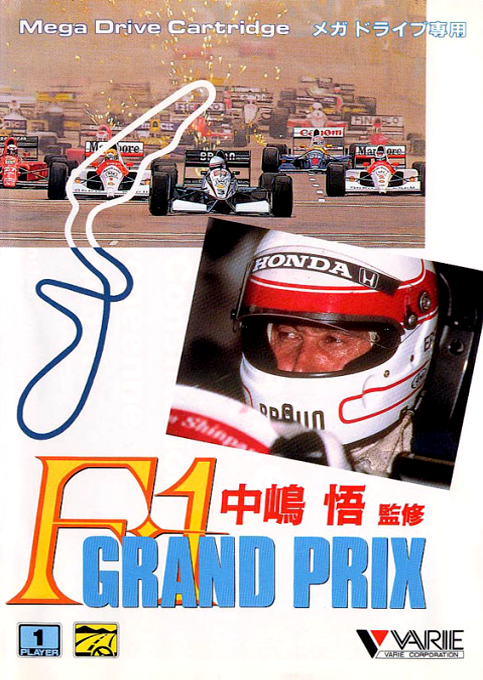
Nakajima Satoru Kanshuu: F1 Grand Prix
Play Nakajima Satoru Kanshuu: F1 Grand Prix online on Mega Drive. Learn each course, control speed through corners, avoid costly collisions, and race for a faster finish in your browser.
Browser play
Sega Genesis / Mega Drive — EmulatorJS controls
Default Player 1 keyboard mapping. Change keys in Controller Settings.
| Console button | Keyboard |
|---|---|
| ↑ / ↓ / ← / → | ↑ / ↓ / ← / → |
| A / B / C | S / X / Z |
| X / Y / Z | Q / A / E |
| START / MODE | Enter / V |
Open Controller Settings to configure your keyboard or gamepad. Touch controls are available on mobile.
How to Play Nakajima Satoru Kanshuu: F1 Grand Prix
Quick start
Select the Grand Prix or Spot, decide the driver and machine settings and proceed to the qualifying. In the course overlooking from above, it is aジ con type operation that steers the direction of your own car to the right and right. First, remember the course shape at a safe speed, and keep the tyres and fuel consciousness and keep the final steady.
Controls
Directional button left and right: steering based on the direction of the vehicle. Up and down: menu items and setting values change. A/B/C:セルeセルelerator, brake, gearbox, etc., and use for deter and cancellation in the menu. START: Race start or pose. Check the operation settings screen and instructions before starting mode.
Nakajima Satoru Kanshuu: F1 Grand Prix Game manuals
Cheats
No cheats have been added for this edition.
Player verification and sources
Browser play was reviewed before this edition was published in the catalogue. The date below is the catalogue publication date, not the game’s original release date.
- Browser test and catalogue publication date
- Browsers and devices
- PC: Chrome, Edge and Firefox. Mobile: Chrome on Android and Safari on iPhone and iPad.
- Player engine and core
- EmulatorJS 4.3.0-pre · segaMD
- Tested by
- rwEmulator
Sources and editorial basis
rwEmulator reviews edition metadata, release information, game manuals and first-hand browser-play notes. Available manuals are linked below; the editorial policy explains how facts are checked and corrections are handled.