More browsing paths
Play Nakajima Satoru Kanshuu - F1 Super License (Japan edition · Japanese) Online
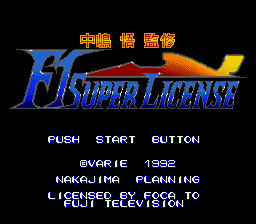
Nakajima Satoru Kanshuu: F1 Super License
Choose from 16 teams of 32 drivers and win eight finals with the F1 Super License.
Browser play
Sega Genesis / Mega Drive — EmulatorJS controls
Default Player 1 keyboard mapping. Change keys in Controller Settings.
| Console button | Keyboard |
|---|---|
| ↑ / ↓ / ← / → | ↑ / ↓ / ← / → |
| A / B / C | S / X / Z |
| X / Y / Z | Q / A / E |
| START / MODE | Enter / V |
Open Controller Settings to configure your keyboard or gamepad. Touch controls are available on mobile.
How to Play Nakajima Satoru Kanshuu - F1 Super License
Quick start
Select the Grand Prix or Single Race and compete from the 16 teams 32 drivers. The qualifying race is 予選 from 26 to 8 finals, so first, aim for a stable qualifying time than the final race. Be aware that the appearance and rudder orientation are opposite between the画面con-style left and right operations and the sub-screen boundary.
Controls
Directional button left and right: steering by car body standard. Up and down: menu and left. A/B/C: Axel, brake, transmission, decision and cancellation. START: decision, start racing, pose. Please check the assignment of each button before driving on the screen that can change the operation type.
Nakajima Satoru Kanshuu - F1 Super License Game manuals
Cheats
No cheats have been added for this edition.
Player verification and sources
Browser play was reviewed before this edition was published in the catalogue. The date below is the catalogue publication date, not the game’s original release date.
- Browser test and catalogue publication date
- Browsers and devices
- PC: Chrome, Edge and Firefox. Mobile: Chrome on Android and Safari on iPhone and iPad.
- Player engine and core
- EmulatorJS 4.3.0-pre · segaMD
- Tested by
- rwEmulator
Sources and editorial basis
rwEmulator reviews edition metadata, release information, game manuals and first-hand browser-play notes. Available manuals are linked below; the editorial policy explains how facts are checked and corrections are handled.