More browsing paths
Play Nightmare Circus (Brazil edition · Revision Beta 2) Online
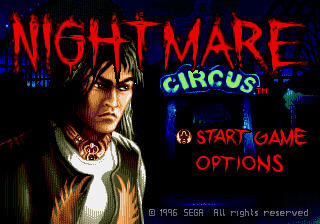
Nightmare Circus
Play Nightmare Circus online on Mega Drive. Run and jump through platform stages, avoid hazards, collect useful items, and learn each enemy pattern directly in your browser.
Browser play
Sega Genesis / Mega Drive — EmulatorJS controls
Default Player 1 keyboard mapping. Change keys in Controller Settings.
| Console button | Keyboard |
|---|---|
| ↑ / ↓ / ← / → | ↑ / ↓ / ← / → |
| A / B / C | S / X / Z |
| X / Y / Z | Q / A / E |
| START / MODE | Enter / V |
Open Controller Settings to configure your keyboard or gamepad. Touch controls are available on mobile.
How to Play Nightmare Circus
Quick start
Choose the mode for a player, cooperative or versus and enter the circus with Raven. Explore every picket, face artists and creatures, collect energy and learn the special blows before moving on. Combat requires combining attacks and movements; watch the reach of enemies and use leaps or skids to avoid being surrounded.
Controls
Directional: walk, squat, jump together with the buttons and choose options. A, B and C: blows, jump and special actions as shown in the combination shown in the manual; directional + button produces variations and acrobatic attacks. Start: Start and pause. In two-player mode, the second control participates in cooperation, versus or in the mode of generation of chosen enemies.
Nightmare Circus Game manuals
Cheats
No cheats have been added for this edition.
Player verification and sources
Browser play was reviewed before this edition was published in the catalogue. The date below is the catalogue publication date, not the game’s original release date.
- Browser test and catalogue publication date
- Browsers and devices
- PC: Chrome, Edge and Firefox. Mobile: Chrome on Android and Safari on iPhone and iPad.
- Player engine and core
- EmulatorJS 4.3.0-pre · segaMD
- Tested by
- rwEmulator
Sources and editorial basis
rwEmulator reviews edition metadata, release information, game manuals and first-hand browser-play notes. Available manuals are linked below; the editorial policy explains how facts are checked and corrections are handled.