More browsing paths
Play Phantasy Star II - Yushis's Adventure (Sega Game Toshokan · Japan edition · Japanese) Online
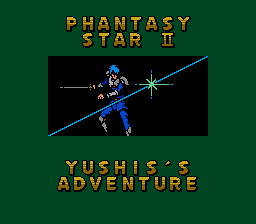
Phantasy Star II: Yushis's Adventure
Online text adventures that are the most common in the nurturing era of boy Yuシス. Choose, explore, and take steps to the swordsman in the fight.
Browser play
Sega Genesis / Mega Drive — EmulatorJS controls
Default Player 1 keyboard mapping. Change keys in Controller Settings.
| Console button | Keyboard |
|---|---|
| ↑ / ↓ / ← / → | ↑ / ↓ / ← / → |
| A / B / C | S / X / Z |
| X / Y / Z | Q / A / E |
| START / MODE | Enter / V |
Open Controller Settings to configure your keyboard or gamepad. Touch controls are available on mobile.
How to Play Phantasy Star II - Yushis's Adventure
Quick start
This is a text adventure where you can train your boy Yuシス as a sword. Choose conversation, movement, and investigation, and collect information and tools necessary for training and incidents. It is not rushing to the enemy, it will correct your HP and attack, and try another order and品 in failed choices.
Controls
Directional button: Select destination, command, item. A/C: Decision and action. B: Cancel / Back. START: Start and send text. Combats proceed with sentence command and judgment, and select the target from "。" weapons and tools. Reset byリセット A+B+C on the title screen.
Phantasy Star II - Yushis's Adventure Game manuals
Cheats
No cheats have been added for this edition.
Player verification and sources
Browser play was reviewed before this edition was published in the catalogue. The date below is the catalogue publication date, not the game’s original release date.
- Browser test and catalogue publication date
- Browsers and devices
- PC: Chrome, Edge and Firefox. Mobile: Chrome on Android and Safari on iPhone and iPad.
- Player engine and core
- EmulatorJS 4.3.0-pre · segaMD
- Tested by
- rwEmulator
Sources and editorial basis
rwEmulator reviews edition metadata, release information, game manuals and first-hand browser-play notes. Available manuals are linked below; the editorial policy explains how facts are checked and corrections are handled.