More browsing paths
Play Robot Battler (Sega Game Toshokan · Japan edition · Japanese) Online
Robot Battler
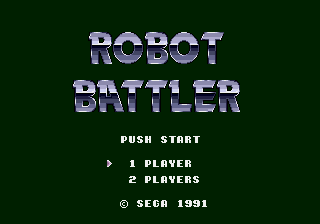
Play Robot Battler online. This is a SEGA Game Library work that adjusts the parts and performance of the aircraft and fights against opponent robots by攻撃ロボット, defense and special actions.
Browser play
Sega Genesis / Mega Drive — EmulatorJS controls
Default Player 1 keyboard mapping. Change keys in Controller Settings.
| Console button | Keyboard |
|---|---|
| ↑ / ↓ / ← / → | ↑ / ↓ / ← / → |
| A / B / C | S / X / Z |
| X / Y / Z | Q / A / E |
| START / MODE | Enter / V |
Open Controller Settings to configure your keyboard or gamepad. Touch controls are available on mobile.
How to Play Robot Battler
Quick start
Assemble robots to adjust their ability and fight against opponents. Check the compatibility of both attack and endurance and behavior, and select the gear that fits the opponent's weakness. Look at the results after the game and change the composition, and win without relying on the same attack.
Controls
Directional Key: Parts/Command/Selected. A: Decision/Attack. B: Cancel/Def . C: Aircraft Information and Special Action. START: Start/Pose. Select the site and equipment on the assembly screen, and decide the following from the action command displayed in the battle.
Robot Battler Game manuals
Cheats
No cheats have been added for this edition.
Player verification and sources
Browser play was reviewed before this edition was published in the catalogue. The date below is the catalogue publication date, not the game’s original release date.
- Browser test and catalogue publication date
- Browsers and devices
- PC: Chrome, Edge and Firefox. Mobile: Chrome on Android and Safari on iPhone and iPad.
- Player engine and core
- EmulatorJS 4.3.0-pre · segaMD
- Tested by
- rwEmulator
Sources and editorial basis
rwEmulator reviews edition metadata, release information, game manuals and first-hand browser-play notes. Available manuals are linked below; the editorial policy explains how facts are checked and corrections are handled.