More browsing paths
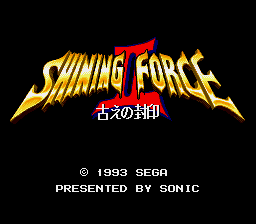
Play Shining Force II (Translation · 1.8d · Simplified Chinese) Online
光明力量2:古代之封印
Play Shining Force II online. Explore the vast world, recruit and transfer partners, manage equipment and magic, and command the army against the Zion Army.
Browser play
Sega Genesis / Mega Drive — EmulatorJS controls
Default Player 1 keyboard mapping. Change keys in Controller Settings.
| Console button | Keyboard |
|---|---|
| ↑ / ↓ / ← / → | ↑ / ↓ / ← / → |
| A / B / C | S / X / Z |
| X / Y / Z | Q / A / E |
| START / MODE | Enter / V |
Open Controller Settings to configure your keyboard or gamepad. Touch controls are available on mobile.
How to Play Shining Force II
Quick start
Explore the Island of Grands and the wider world, recruit new partners and equip and equip teams before each battle. Make units properly dispersed to avoid magic while protecting the healers; use terrain and movement to create a favourable war-place and confirm growth before transferring to office.
Controls
Direction: Move the lead player or combat cursor, select the menu. A or C: Open the command and confirm the movement, attack, magic, props or target. B: Cancel or close the menu. Start: View the state of the supported scene. Select the unit, destination, action and target in order of battle.
Shining Force II Game manuals
Cheats
No cheats have been added for this edition.
Player verification and sources
Browser play was reviewed before this edition was published in the catalogue. The date below is the catalogue publication date, not the game’s original release date.
- Browser test and catalogue publication date
- Browsers and devices
- PC: Chrome, Edge and Firefox. Mobile: Chrome on Android and Safari on iPhone and iPad.
- Player engine and core
- EmulatorJS 4.3.0-pre · segaMD
- Tested by
- rwEmulator
Sources and editorial basis
rwEmulator reviews edition metadata, release information, game manuals and first-hand browser-play notes. Available manuals are linked below; the editorial policy explains how facts are checked and corrections are handled.