More browsing paths
Play The Lion King (World edition · Revision Beta) Online
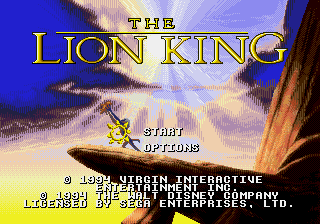
The Lion King
Play The Lion King online on Mega Drive. Run and jump through platform stages, avoid hazards, collect useful items, and learn each enemy pattern directly in your browser.
Browser play
Sega Genesis / Mega Drive — EmulatorJS controls
Default Player 1 keyboard mapping. Change keys in Controller Settings.
| Console button | Keyboard |
|---|---|
| ↑ / ↓ / ← / → | ↑ / ↓ / ← / → |
| A / B / C | S / X / Z |
| X / Y / Z | Q / A / E |
| START / MODE | Enter / V |
Open Controller Settings to configure your keyboard or gamepad. Touch controls are available on mobile.
How to Play The Lion King
Quick start
Choose a difficulty and begin as young Simba. Jump on smaller enemies, use the roar to stun creatures or solve stage hazards, and collect bugs that restore health or strengthen the roar meter. Later stages use adult Simba, whose claw swipe handles enemies that can no longer be defeated by jumping alone.
Controls
D-pad: run, crouch, climb, and move through menus; press down-left or down-right while running to roll where the terrain allows. A: roar. B: adult Simba's claw swipe. C: jump; young Simba defeats many enemies by landing on them. Start: pause.
Cheats
No cheats have been added for this edition.
Player verification and sources
Browser play was reviewed before this edition was published in the catalogue. The date below is the catalogue publication date, not the game’s original release date.
- Browser test and catalogue publication date
- Browsers and devices
- PC: Chrome, Edge and Firefox. Mobile: Chrome on Android and Safari on iPhone and iPad.
- Player engine and core
- EmulatorJS 4.3.0-pre · segaMD
- Tested by
- rwEmulator
Sources and editorial basis
rwEmulator reviews edition metadata, release information, game manuals and first-hand browser-play notes. Available manuals are linked below; the editorial policy explains how facts are checked and corrections are handled.