More browsing paths
Play Thomas the Tank Engine & Friends (US edition · English) Online
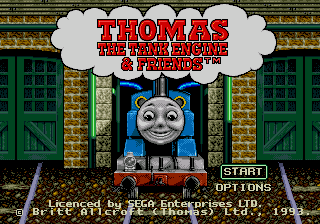
Thomas the Tank Engine & Friends
Play Thomas the Tank Engine & Friends online. Guide Thomas through deliveries and races, follow railway signals, solve simple puzzles, and meet familiar characters.
Browser play
Sega Genesis / Mega Drive — EmulatorJS controls
Default Player 1 keyboard mapping. Change keys in Controller Settings.
| Console button | Keyboard |
|---|---|
| ↑ / ↓ / ← / → | ↑ / ↓ / ← / → |
| A / B / C | S / X / Z |
| X / Y / Z | Q / A / E |
| START / MODE | Enter / V |
Open Controller Settings to configure your keyboard or gamepad. Touch controls are available on mobile.
How to Play Thomas the Tank Engine & Friends
Quick start
Choose an activity, then help Thomas complete deliveries, races, and simple railway tasks. Watch signals, change speed before hazards, and follow the route markers to the correct station. Younger players can also select jigsaw and character activities from the main menu.
Controls
D-pad: choose activities, steer selections, or adjust Thomas’s speed and route. A/C: confirm, accelerate, or perform the prompted action. B: slow down, cancel, or return. Start: pause. Each activity displays its current goal, and controls simplify automatically for puzzles and story scenes.
Thomas the Tank Engine & Friends Game manuals
Cheats
No cheats have been added for this edition.
Player verification and sources
Browser play was reviewed before this edition was published in the catalogue. The date below is the catalogue publication date, not the game’s original release date.
- Browser test and catalogue publication date
- Browsers and devices
- PC: Chrome, Edge and Firefox. Mobile: Chrome on Android and Safari on iPhone and iPad.
- Player engine and core
- EmulatorJS 4.3.0-pre · segaMD
- Tested by
- rwEmulator
Sources and editorial basis
rwEmulator reviews edition metadata, release information, game manuals and first-hand browser-play notes. Available manuals are linked below; the editorial policy explains how facts are checked and corrections are handled.