More browsing paths
Play Tougiou King Colossus Online
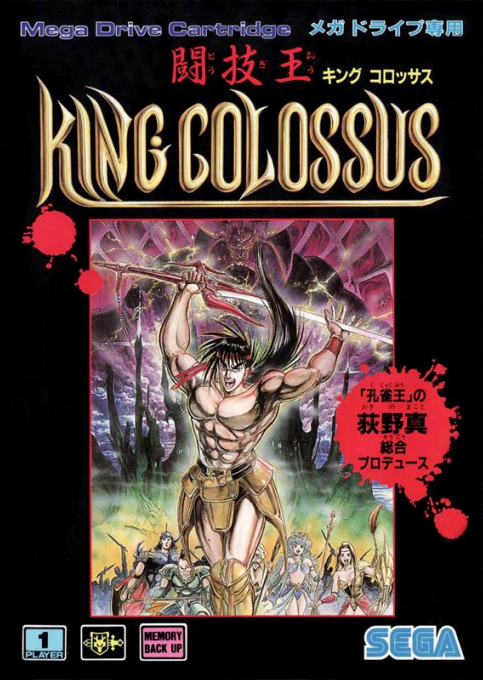
Tougiou King Colossus
Play Tougiou King Colossus online on Mega Drive. Explore its world, talk to characters, manage equipment and party resources, and progress through battles and story objectives.
Browser play
Sega Genesis / Mega Drive — EmulatorJS controls
Default Player 1 keyboard mapping. Change keys in Controller Settings.
| Console button | Keyboard |
|---|---|
| ↑ / ↓ / ← / → | ↑ / ↓ / ← / → |
| A / B / C | S / X / Z |
| X / Y / Z | Q / A / E |
| START / MODE | Enter / V |
Open Controller Settings to configure your keyboard or gamepad. Touch controls are available on mobile.
How to Play Tougiou King Colossus
Quick start
We will continue to develop a new swordsmith and explore the field and dungeon, and collect weapons, armor and magic. In the town, please make a conversation and equipment update, and in the maze, look at the walls and treasure boxes, and then be slashed after the enemy attack.
Controls
Directional button: Move, cursor operation. A: Equipment/magic or situation action in the equipment. B: weapon attack. C: Scene operation such as jump/evasion. START: Equipment/Condition menu/Posing. In the menu, set A and cancel B. Check the display because the attack range and consumption change when changing weapons and magic.
Tougiou King Colossus Game manuals
Cheats
No cheats have been added for this edition.
Player verification and sources
Browser play was reviewed before this edition was published in the catalogue. The date below is the catalogue publication date, not the game’s original release date.
- Browser test and catalogue publication date
- Browsers and devices
- PC: Chrome, Edge and Firefox. Mobile: Chrome on Android and Safari on iPhone and iPad.
- Player engine and core
- EmulatorJS 4.3.0-pre · segaMD
- Tested by
- rwEmulator
Sources and editorial basis
rwEmulator reviews edition metadata, release information, game manuals and first-hand browser-play notes. Available manuals are linked below; the editorial policy explains how facts are checked and corrections are handled.