More browsing paths
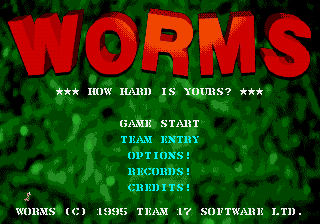
Play Worms (US edition · Revision Proto 1995-06-xx) Online
Worms
Play Worms online on Mega Drive. Study the map, issue orders, manage units and resources, and work through tactical objectives in your browser.
Browser play
Sega Genesis / Mega Drive — EmulatorJS controls
Default Player 1 keyboard mapping. Change keys in Controller Settings.
| Console button | Keyboard |
|---|---|
| ↑ / ↓ / ← / → | ↑ / ↓ / ← / → |
| A / B / C | S / X / Z |
| X / Y / Z | Q / A / E |
| START / MODE | Enter / V |
Open Controller Settings to configure your keyboard or gamepad. Touch controls are available on mobile.
How to Play Worms
Quick start
Build a team, choose a terrain, and take turns eliminating the opposing worms before the round timer expires. Use the wind indicator before firing, adjust aim and power instead of rushing, and move only as far as the turn clock safely permits. Save rare weapons for clusters or hard cover, use girders and mobility tools to escape, and avoid explosions that throw your own worms into water.
Controls
D-pad: move the worm or cursor, aim the weapon, and adjust menu choices. A: jump or backflip with the directional combination. B: fire the selected weapon and set its power where required. C: open or cycle the weapon inventory. Start pauses and shows options. Some tools require placing a target, fuse, or direction before B confirms.
Worms Game manuals
Cheats
No cheats have been added for this edition.
Player verification and sources
Browser play was reviewed before this edition was published in the catalogue. The date below is the catalogue publication date, not the game’s original release date.
- Browser test and catalogue publication date
- Browsers and devices
- PC: Chrome, Edge and Firefox. Mobile: Chrome on Android and Safari on iPhone and iPad.
- Player engine and core
- EmulatorJS 4.3.0-pre · segaMD
- Tested by
- rwEmulator
Sources and editorial basis
rwEmulator reviews edition metadata, release information, game manuals and first-hand browser-play notes. Available manuals are linked below; the editorial policy explains how facts are checked and corrections are handled.