More browsing paths
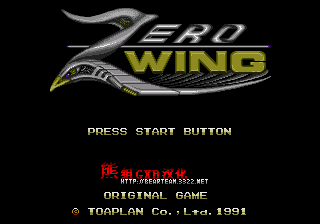
Play Zero Wing (Translation · Simplified Chinese) Online
零风战机
Play Zero Wing online. Collecting weapons and speed reinforcements, using the prisoner beam to capture enemy aircraft as shields or throw weapons, and breaking the cross-barrel firing level.
Browser play
Sega Genesis / Mega Drive — EmulatorJS controls
Default Player 1 keyboard mapping. Change keys in Controller Settings.
| Console button | Keyboard |
|---|---|
| ↑ / ↓ / ← / → | ↑ / ↓ / ← / → |
| A / B / C | S / X / Z |
| X / Y / Z | Q / A / E |
| START / MODE | Enter / V |
Open Controller Settings to configure your keyboard or gamepad. Touch controls are available on mobile.
How to Play Zero Wing
Quick start
The pilots cross the cross-section of the enemy, collect weapons and speed reinforcements, and use the prisoner beam to capture the small enemy aircraft. They can use the prisoner as a front shield, and they can release and throw back at the enemy. Select the weapons they need by colour, do not risk dangerous positions for reinforcement, and leave the prisoner or special attack to the chief and the narrow terrain. This entry is an unofficial Chinese version.
Controls
Key: Move the warplane. Key A: Launch the main weapon. Key B: Capture the enemy with a prisoner beam, re-enter the enemy and release/show it. Key C: Change speed or use current auxiliary functions. Start: Pause. Still move while shooting. Capturers can block bullets from the front.
Zero Wing Game manuals
Cheats
No cheats have been added for this edition.
Player verification and sources
Browser play was reviewed before this edition was published in the catalogue. The date below is the catalogue publication date, not the game’s original release date.
- Browser test and catalogue publication date
- Browsers and devices
- PC: Chrome, Edge and Firefox. Mobile: Chrome on Android and Safari on iPhone and iPad.
- Player engine and core
- EmulatorJS 4.3.0-pre · segaMD
- Tested by
- rwEmulator
Sources and editorial basis
rwEmulator reviews edition metadata, release information, game manuals and first-hand browser-play notes. Available manuals are linked below; the editorial policy explains how facts are checked and corrections are handled.