More browsing paths
Play Garfield - Caught in the Act (US_EU edition) Online
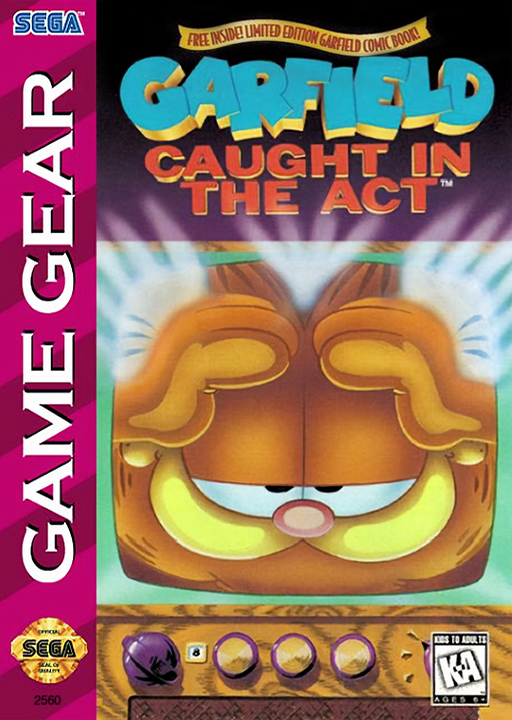
Garfield - Caught in the Act
Play Garfield: Caught in the Act for Game Gear online. Find batteries, collect ammo and learn default jumping, clawing, running and password controls.
Browser play
Sega Game Gear — EmulatorJS controls
Default Player 1 keyboard mapping. Change keys in Controller Settings.
| Console button | Keyboard |
|---|---|
| ↑ / ↓ / ← / → | ↑ / ↓ / ← / → |
| 1 / 2 | X / Z |
| START | Enter |
Open Controller Settings to configure your keyboard or gamepad. Touch controls are available on mobile.
How to Play Garfield - Caught in the Act
Quick start
Press START through the title and introduction. From the level entrance, move toward Start Game and continue with START. With default controls, jump with 1 and attack with 2. Gather batteries in every sub-level before defeating the boss and collecting the remote.
Controls
Default controls: Left/Right moves, Up looks up, Down crouches. Tap then hold Left/Right to run. 1 jumps or climbs onto objects. 2 throws ammo at a distance or claws nearby enemies. START pauses/resumes. Options can reassign controls. Password: Left/Right selects boxes, Up/Down chooses characters, START submits.
Garfield - Caught in the Act — About this game
Garfield: Caught in the Act for Game Gear sends the cat through scenes inspired by late-night movies. Move across platforms, slide objects into place and collect the ammunition used by the current scene. The attack button changes with distance: Garfield throws ammo at faraway threats and claws enemies nearby. Food restores his life, while Pooky marks a restart point. Progress needs more than reaching the boss. Find the battery in each sub-level so the remote will work, defeat the boss and take the remote to move on. The default layout uses 1 for jumping and 2 for attacks, but the Options screen can reassign them. Learn the chosen layout before committing to a jump beside an enemy.
Garfield - Caught in the Act Game manuals
Cheats
No cheats have been added for this edition.
Player verification and sources
Browser play was reviewed before this edition was published in the catalogue. The date below is the catalogue publication date, not the game’s original release date.
- Browser test and catalogue publication date
- Browsers and devices
- PC: Chrome, Edge and Firefox. Mobile: Chrome on Android and Safari on iPhone and iPad.
- Player engine and core
- EmulatorJS 4.3.0-pre · segaGG
- Tested by
- rwEmulator
Sources and editorial basis
rwEmulator reviews edition metadata, release information, game manuals and first-hand browser-play notes. Available manuals are linked below; the editorial policy explains how facts are checked and corrections are handled.