More browsing paths
Play Pengo (Japan edition) Online
Pengo
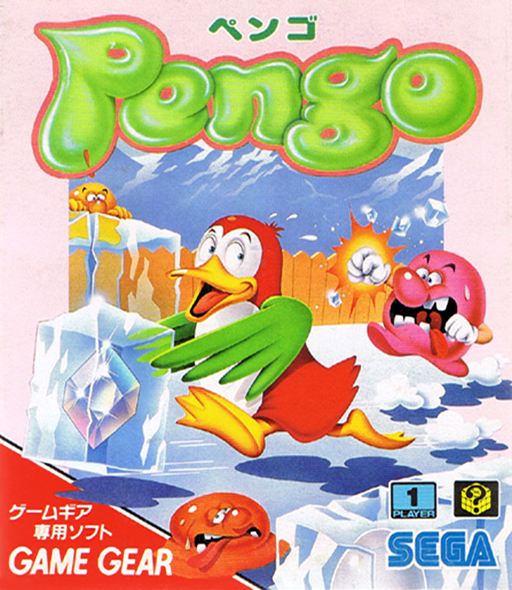
Play Pengo online on Game Gear. Push ice through the maze, trap the Sno-Bees and leave yourself a route to escape.
Browser play
Sega Game Gear — EmulatorJS controls
Default Player 1 keyboard mapping. Change keys in Controller Settings.
| Console button | Keyboard |
|---|---|
| ↑ / ↓ / ← / → | ↑ / ↓ / ← / → |
| 1 / 2 | X / Z |
| START | Enter |
Open Controller Settings to configure your keyboard or gamepad. Touch controls are available on mobile.
How to Play Pengo
Quick start
Press START and move with the directional pad. Face an ice block and press 1 or 2 to push it; if it cannot slide, the ice breaks. Aim a clear lane at an approaching Sno-Bee.
Controls
Directions: move Pengo. 1 or 2: push blocks/break ice; diamond blocks do not break. START: begin/pause.
Pengo — About this game
Pengo turns an ice maze into a moving puzzle. Pengo defeats pursuing Sno-Bees by sliding blocks into them, while breaking ice changes the paths available to both sides. A block with no space behind it breaks instead of sliding, so face the right way before acting. Destroying an egg-bearing block prevents another enemy from hatching. Diamond blocks survive impacts and reward careful positioning: lining them up adds a second goal beyond clearing enemies. Keep an escape route open rather than stripping away every useful block.
Pengo Game manuals
Cheats
No cheats have been added for this edition.
Player verification and sources
Browser play was reviewed before this edition was published in the catalogue. The date below is the catalogue publication date, not the game’s original release date.
- Browser test and catalogue publication date
- Browsers and devices
- PC: Chrome, Edge and Firefox. Mobile: Chrome on Android and Safari on iPhone and iPad.
- Player engine and core
- EmulatorJS 4.3.0-pre · segaGG
- Tested by
- rwEmulator
Sources and editorial basis
rwEmulator reviews edition metadata, release information, game manuals and first-hand browser-play notes. Available manuals are linked below; the editorial policy explains how facts are checked and corrections are handled.