More browsing paths
Play Phantom 2040 (US edition) Online
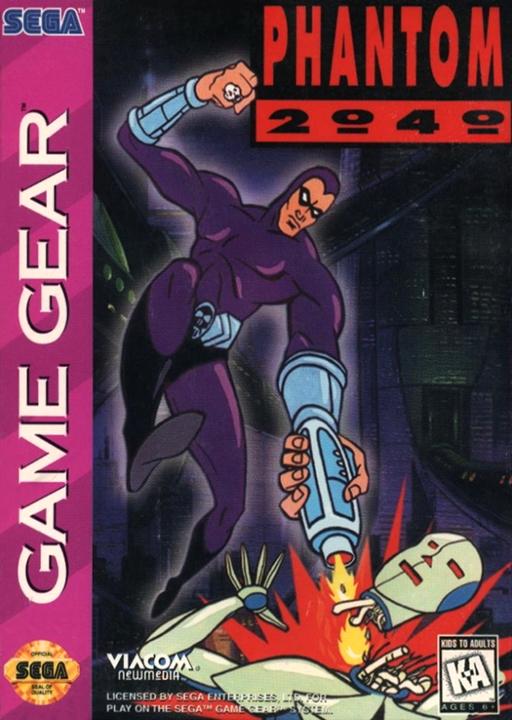
Phantom 2040
Play Phantom 2040 online on Game Gear. Fight through Metropia, switch your tools and use ropes and ledges to reach the next objective.
Browser play
Sega Game Gear — EmulatorJS controls
Default Player 1 keyboard mapping. Change keys in Controller Settings.
| Console button | Keyboard |
|---|---|
| ↑ / ↓ / ← / → | ↑ / ↓ / ← / → |
| 1 / 2 | X / Z |
| START | Enter |
Open Controller Settings to configure your keyboard or gamepad. Touch controls are available on mobile.
How to Play Phantom 2040
Quick start
Press START to begin. Move with directions, attack with 1 and jump with 2. Use START for the inventory and left/right to browse tools. Up with 2 grabs a ledge, rope or vine; up accesses a terminal.
Controls
Directions: move; double-tap left/right to run. 1: attack/fire. 2: jump. Up + 2: climb/grab; down + 2: descend. START: pause/inventory selection. Hypercycle: left/right bank, up/down speed.
Phantom 2040 — About this game
Phantom 2040 sends the Phantom against Maximum’s plans for a new biot. Its Game Gear action mixes side-view movement with special sequences, including a hypercycle ride. In the action areas, watch both the enemy’s line of fire and the platforms above you. Ropes, vines and ledges give access to routes beyond a straight ground-level run. Open the inventory to choose a useful tool and watch the ammunition counter before relying on it. Careful positioning lets you attack while leaving room to jump, roll or climb away from danger.
Phantom 2040 Game manuals
Cheats
No cheats have been added for this edition.
Player verification and sources
Browser play was reviewed before this edition was published in the catalogue. The date below is the catalogue publication date, not the game’s original release date.
- Browser test and catalogue publication date
- Browsers and devices
- PC: Chrome, Edge and Firefox. Mobile: Chrome on Android and Safari on iPhone and iPad.
- Player engine and core
- EmulatorJS 4.3.0-pre · segaGG
- Tested by
- rwEmulator
Sources and editorial basis
rwEmulator reviews edition metadata, release information, game manuals and first-hand browser-play notes. Available manuals are linked below; the editorial policy explains how facts are checked and corrections are handled.