More browsing paths
Play Gift (Germany edition · English · Edition 148269) Online
Gifty
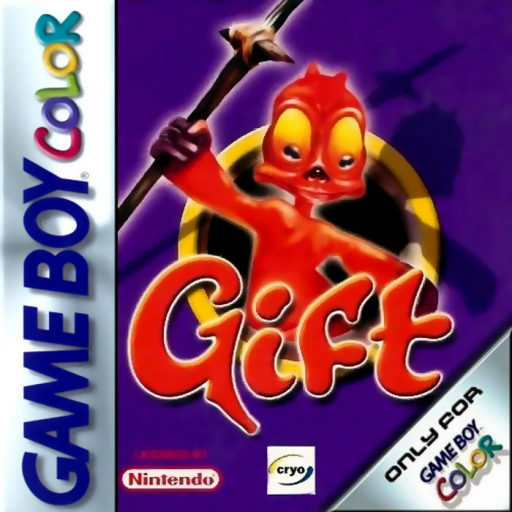
Play Gift online on GBC. Guide the unusual hero through a handheld action adventure with obstacles that call for observation as well as movement. Work out the next safe route, deal with nearby threats and treat the surroundings as part of the problem rather than simply run forward.
Browser play
Game Boy Color (GBC) — EmulatorJS controls
Default Player 1 keyboard mapping. Change keys in Controller Settings.
| Console button | Keyboard |
|---|---|
| ↑ / ↓ / ← / → | ↑ / ↓ / ← / → |
| A / B | Z / X |
| START / SELECT | Enter / V |
Open Controller Settings to configure your keyboard or gamepad. Touch controls are available on mobile.
How to Play Gift
Quick start
Start a new game and read the opening prompts. Practice movement and the A/B actions in the first safe area, then tackle one obstacle and check the next landing or exit before advancing.
Controls
The D-pad moves and selects. A/B perform the main context-sensitive actions shown in play; in menus A confirms and B returns. START opens pause. Test unfamiliar actions away from a dangerous edge.
Gift — About this game
Gift for Game Boy Color. Pause before an unfamiliar obstacle and check what can be reached safely. Try one action at a time so you can see its effect. If an approach fails, change the position or timing before repeating; careful experiments make the route easier to understand.
Cheats
No cheats have been added for this edition.
Player verification and sources
Browser play was reviewed before this edition was published in the catalogue. The date below is the catalogue publication date, not the game’s original release date.
- Browser test and catalogue publication date
- Browsers and devices
- PC: Chrome, Edge and Firefox. Mobile: Chrome on Android and Safari on iPhone and iPad.
- Player engine and core
- EmulatorJS 4.3.0-pre · gb
- Tested by
- rwEmulator
Sources and editorial basis
rwEmulator reviews edition metadata, release information, game manuals and first-hand browser-play notes. Available manuals are linked below; the editorial policy explains how facts are checked and corrections are handled.