More browsing paths
Play Golf-kko Open (Japan edition · Japanese) Online
ゴルフッ子オープン
Play Golf-kko Open online. Read changing wind, ask the caddie, set club, direction, contact and power, then develop your golfer through practice and matches.
Browser play
Nintendo Entertainment System (NES) / Famicom — EmulatorJS controls
Default Player 1 keyboard mapping. Change keys in Controller Settings.
| Console button | Keyboard |
|---|---|
| ↑ / ↓ / ← / → | ↑ / ↓ / ← / → |
| A / B | Z / X |
| START / SELECT | Enter / V |
Open Controller Settings to configure your keyboard or gamepad. Touch controls are available on mobile.
How to Play Golf-kko Open
Quick start
Press START at the title screen, choose New Game with the D-pad and confirm with A. For a first round, select the one-player option, enter a name and inspect the available clubs; use Practice first if the Japanese menus are unfamiliar. Before each shot, use Up/Down to choose a club and Left/Right to aim, then press A. On the close view of the ball, move the contact point, confirm it, and press A again when the changing power gauge reaches the strength you want. Because the wind keeps moving, do not wait too long after aiming. Press B on the course to ask the caddie for distance advice, and use START to inspect hazards and the green before committing.
Controls
D-pad moves menu/password cursors; before a shot, Up/Down changes clubs and Left/Right changes direction; on the ball view it moves the contact point. A confirms menus, club/direction, contact point and power. B cancels or returns one setup step; on the course it calls the caddie, where you can choose advice or the scorecard and close with A. START begins at the title and, on the course, cycles the full-hole, green-area and grain views. SELECT is normally unused. With the optional Hori Track, the trackball can move cursors and set shot strength, and the D-pad is unavailable during that shot.
Golf-kko Open — About this game
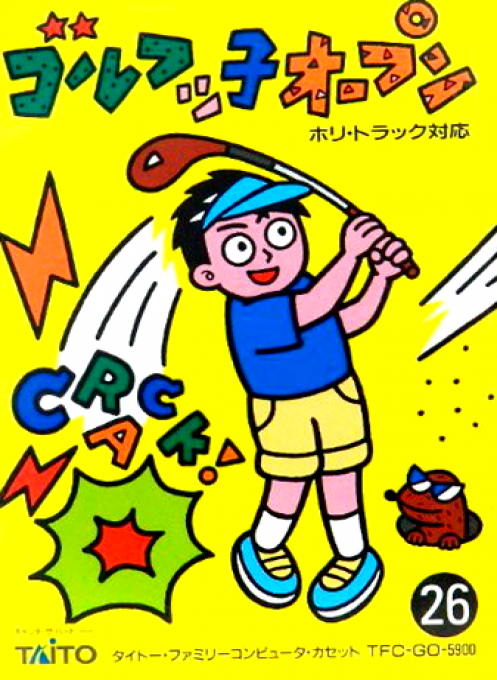
Golf-kko Open is Taito's 1989 Famicom golf game, built around a staged but approachable shot setup. Practice lets you choose a hole freely, the solo game develops a named golfer and preserves progress by password, and separate options support two players or matches against four computer rivals. On the course you choose a club and direction, place the contact point on the ball, then stop a moving power gauge. Wind direction and strength continue changing while you prepare, so timing matters. A caddie reports distances, START reveals the full hole, green area and grain, and new clubs plus Taito guest characters reward continued play.
Cheats
No cheats have been added for this edition.
Player verification and sources
Browser play was reviewed before this edition was published in the catalogue. The date below is the catalogue publication date, not the game’s original release date.
- Browser test and catalogue publication date
- Browsers and devices
- PC: Chrome, Edge and Firefox. Mobile: Chrome on Android and Safari on iPhone and iPad.
- Player engine and core
- EmulatorJS 4.3.0-pre · nes
- Tested by
- rwEmulator
Sources and editorial basis
rwEmulator reviews edition metadata, release information, game manuals and first-hand browser-play notes. Available manuals are linked below; the editorial policy explains how facts are checked and corrections are handled.