More browsing paths
Play Grand Theft Auto: Chinatown Wars (US edition · English / French / German / Spanish / Italian) Online
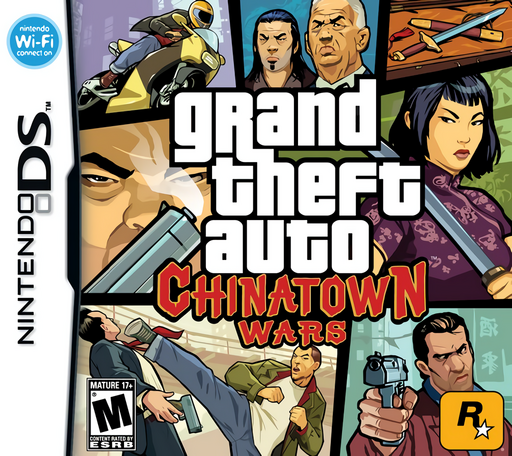
Grand Theft Auto - Chinatown Wars
Play Grand Theft Auto: Chinatown Wars online. Follow Huang Lee through Liberty City missions, traffic escapes and DS touch-screen interactions.
Browser play
Nintendo DS (NDS) — EmulatorJS controls
Default Player 1 keyboard mapping. Change keys in Controller Settings.
| Console button | Keyboard |
|---|---|
| ↑ / ↓ / ← / → | ↑ / ↓ / ← / → |
| A / B / X / Y | Z / X / A / S |
| L / R | Q / E |
| START / SELECT | Enter / V |
| Microphone | Not assigned |
Open Controller Settings to configure your keyboard or gamepad. Touch controls are available on mobile.
How to Play Grand Theft Auto: Chinatown Wars
Quick start
Begin the story and read the first destination or request. Visit the available place, speak to the relevant character and inspect your usable items before selecting a command. Resolve the opening encounter, check its result and choose the next objective from the game's own guidance.
Controls
Use the DS Control Pad for on-foot movement or steering, with the current layout’s action, acceleration and braking buttons. Touch the lower-screen PDA for maps, messages and selected interactions. Follow a touch minigame’s own prompt; return to button movement when it ends.
Grand Theft Auto: Chinatown Wars — About this game
Chinatown Wars gives Huang Lee an overhead view of Liberty City's crime story. Drive between contacts, read messages and mission goals on the PDA, and move between on-foot action and vehicle chases. Touch-screen sequences handle close interactions with objects, while the map helps plan a route through the city. Losing a police pursuit asks you to use the streets as well as speed. Begin with the opening escape and the first contact, learn braking and turns on a short drive and check the next objective before taking a longer detour. Begin with the opening instructions and practice the main interaction before pursuing optional rewards. Read the current objective, make one deliberate choice and watch its effect before repeating it. A short first session makes it easier to separate a missed instruction from a difficult challenge. Return to the available menu when you need to check progress or adjust your approach, then continue from the next clear objective.
Grand Theft Auto: Chinatown Wars Game manuals
Cheats
No cheats have been added for this edition.
Player verification and sources
Browser play was reviewed before this edition was published in the catalogue. The date below is the catalogue publication date, not the game’s original release date.
- Browser test and catalogue publication date
- Browsers and devices
- PC: Chrome, Edge and Firefox. Mobile: Chrome on Android and Safari on iPhone and iPad.
- Player engine and core
- EmulatorJS 4.3.0-pre · nds
- Tested by
- rwEmulator
Sources and editorial basis
rwEmulator reviews edition metadata, release information, game manuals and first-hand browser-play notes. Available manuals are linked below; the editorial policy explains how facts are checked and corrections are handled.