More browsing paths
Play Grand Theft Auto (GB Compatible · Europe edition · English / French / German / Spanish / Italian) Online
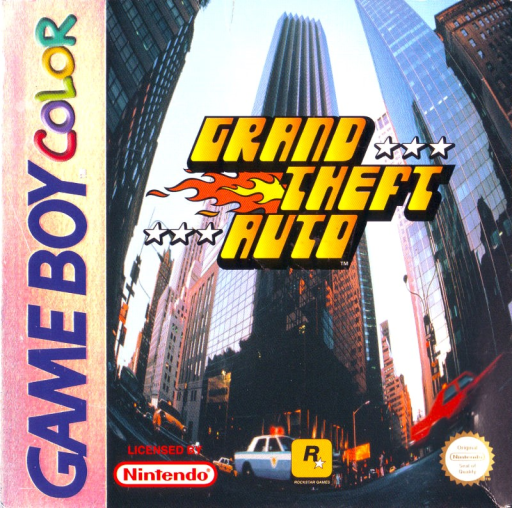
Grand Theft Auto
Play Grand Theft Auto online on GBC. Explore the city from above, take cars and follow criminal jobs while the police respond to your actions. Driving and moving on foot share the same streets, so learning intersections and escape routes is as important as reaching the next objective.
Browser play
Game Boy Color (GBC) — EmulatorJS controls
Default Player 1 keyboard mapping. Change keys in Controller Settings.
| Console button | Keyboard |
|---|---|
| ↑ / ↓ / ← / → | ↑ / ↓ / ← / → |
| A / B | Z / X |
| START / SELECT | Enter / V |
Open Controller Settings to configure your keyboard or gamepad. Touch controls are available on mobile.
How to Play Grand Theft Auto
Quick start
Start a new game and follow the first job prompt or ringing phone. Learn to move on foot, approach a car door and use the enter-vehicle action, then drive slowly through the first junctions.
Controls
The D-pad moves on foot; Left/Right steers while driving. A/B handle the main contextual interaction, driving and attack actions. START pauses. Check the current walking/driving context before using an action.
Grand Theft Auto — About this game
Grand Theft Auto for Game Boy Color. Read a job’s directions before speeding away. A fast car is useful only if you can control its turns, and attracting police can turn a simple trip into a pursuit. Practise a short route first and watch traffic rather than treating every road as empty.
Cheats
No cheats have been added for this edition.
Player verification and sources
Browser play was reviewed before this edition was published in the catalogue. The date below is the catalogue publication date, not the game’s original release date.
- Browser test and catalogue publication date
- Browsers and devices
- PC: Chrome, Edge and Firefox. Mobile: Chrome on Android and Safari on iPhone and iPad.
- Player engine and core
- EmulatorJS 4.3.0-pre · gb
- Tested by
- rwEmulator
Sources and editorial basis
rwEmulator reviews edition metadata, release information, game manuals and first-hand browser-play notes. Available manuals are linked below; the editorial policy explains how facts are checked and corrections are handled.