More browsing paths
Play Guai Shou Go! Go! II (Taiwan edition) Online
Guai Shou Go! Go! II
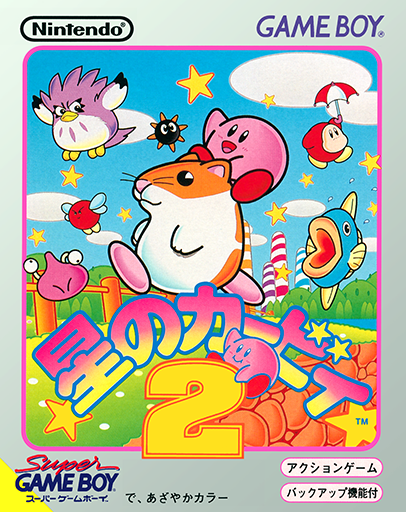
Play Guai Shou Go! Go! II online on GBC. Cross scrolling stages with a changed creature hero in this color conversion built from Kirby's Dream Land 2.
Browser play
Game Boy Color (GBC) — EmulatorJS controls
Default Player 1 keyboard mapping. Change keys in Controller Settings.
| Console button | Keyboard |
|---|---|
| ↑ / ↓ / ← / → | ↑ / ↓ / ← / → |
| A / B | Z / X |
| START / SELECT | Enter / V |
Open Controller Settings to configure your keyboard or gamepad. Touch controls are available on mobile.
How to Play Guai Shou Go! Go! II
Quick start
Begin the first stage and test a jump, a short float and a safe landing before passing the first enemy.
Controls
D-pad moves, crouches or floats according to context. A/B handle jumping and the current attack or inhale action; follow the game prompts for ability use.
Guai Shou Go! Go! II — About this game
Use the first safe stretch to compare an ordinary jump with floating. Keep room to land before approaching an enemy and learn how the current ability changes your reach. The stage layouts and companion-based ability ideas come from the underlying game, so concentrate on movement and obstacles rather than looking for trainers or capture items.
Cheats
No cheats have been added for this edition.
Player verification and sources
Browser play was reviewed before this edition was published in the catalogue. The date below is the catalogue publication date, not the game’s original release date.
- Browser test and catalogue publication date
- Browsers and devices
- PC: Chrome, Edge and Firefox. Mobile: Chrome on Android and Safari on iPhone and iPad.
- Player engine and core
- EmulatorJS 4.3.0-pre · gb
- Tested by
- rwEmulator
Sources and editorial basis
rwEmulator reviews edition metadata, release information, game manuals and first-hand browser-play notes. Available manuals are linked below; the editorial policy explains how facts are checked and corrections are handled.