More browsing paths
Play Gummy Bears - Mini Golf (US edition · English / French / Spanish) Online
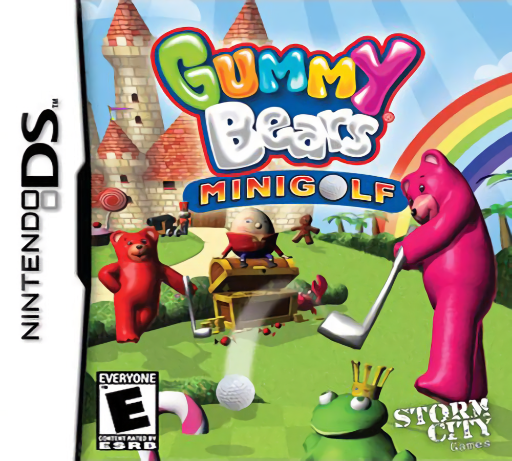
Gummy Bears - Mini Golf
Play Gummy Bears - Mini Golf online. Guide a gummy bear through candy-themed miniature golf, judging angle and shot power.
Browser play
Nintendo DS (NDS) — EmulatorJS controls
Default Player 1 keyboard mapping. Change keys in Controller Settings.
| Console button | Keyboard |
|---|---|
| ↑ / ↓ / ← / → | ↑ / ↓ / ← / → |
| A / B / X / Y | Z / X / A / S |
| L / R | Q / E |
| START / SELECT | Enter / V |
| Microphone | Not assigned |
Open Controller Settings to configure your keyboard or gamepad. Touch controls are available on mobile.
How to Play Gummy Bears - Mini Golf
Quick start
Choose a character and the first available course. Inspect the hole and obstacles, set a modest shot and observe where it stops. Adjust the next angle and strength before trying a longer shot; finish the hole to continue the course.
Controls
Use the DS shot panel to adjust aiming angle, power and the available left/right stance position, then confirm the stroke. Check the ball's resting place before setting another shot. Follow the panel's displayed input prompts rather than applying a Wii swing gesture.
Gummy Bears - Mini Golf — About this game
Gummy Bears: Mini Golf turns candy scenery into a sequence of holes to complete. Choose a bear, inspect the route to the cup and set the shot's angle and strength instead of simply hitting as hard as possible. A sideways setup adjustment can change the path around an obstacle. Completing holes advances the course journey toward Candy Land and the crown goal. Begin with a controlled short stroke, watch how far the ball rolls after contact and use that result to plan the next attempt. The DS version's shot setup and ball behavior should guide play on this cartridge.
Gummy Bears - Mini Golf Game manuals
Cheats
No cheats have been added for this edition.
Player verification and sources
Browser play was reviewed before this edition was published in the catalogue. The date below is the catalogue publication date, not the game’s original release date.
- Browser test and catalogue publication date
- Browsers and devices
- PC: Chrome, Edge and Firefox. Mobile: Chrome on Android and Safari on iPhone and iPad.
- Player engine and core
- EmulatorJS 4.3.0-pre · nds
- Tested by
- rwEmulator
Sources and editorial basis
rwEmulator reviews edition metadata, release information, game manuals and first-hand browser-play notes. Available manuals are linked below; the editorial policy explains how facts are checked and corrections are handled.