More browsing paths
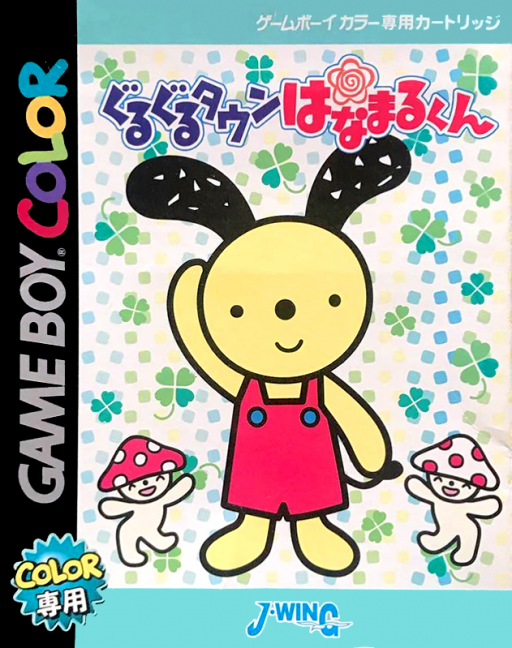
Play Guruguru Town Hanamaru-kun (Japan edition · Japanese) Online
Guruguru Town Hanamaru-kun
Play Guruguru Town Hanamaru-kun online on GBC. Join Hanamaru and friends for short learning activities built around observation, recognition and words.
Browser play
Game Boy Color (GBC) — EmulatorJS controls
Default Player 1 keyboard mapping. Change keys in Controller Settings.
| Console button | Keyboard |
|---|---|
| ↑ / ↓ / ← / → | ↑ / ↓ / ← / → |
| A / B | Z / X |
| START / SELECT | Enter / V |
Open Controller Settings to configure your keyboard or gamepad. Touch controls are available on mobile.
How to Play Guruguru Town Hanamaru-kun
Quick start
Choose an activity, read its question and compare all answers before confirming the first choice.
Controls
D-pad highlights choices and moves the cursor where required. A confirms; B returns where offered. Each activity's own prompts explain any additional action.
Guruguru Town Hanamaru-kun — About this game
Read the instruction before choosing so you know whether to identify a picture, compare options or answer a word question. Take a moment to inspect every choice; the English-vocabulary activities make the distinction between the prompt and the requested answer especially useful. Repeat a familiar activity before moving to a new one.
Cheats
No cheats have been added for this edition.
Player verification and sources
Browser play was reviewed before this edition was published in the catalogue. The date below is the catalogue publication date, not the game’s original release date.
- Browser test and catalogue publication date
- Browsers and devices
- PC: Chrome, Edge and Firefox. Mobile: Chrome on Android and Safari on iPhone and iPad.
- Player engine and core
- EmulatorJS 4.3.0-pre · gb
- Tested by
- rwEmulator
Sources and editorial basis
rwEmulator reviews edition metadata, release information, game manuals and first-hand browser-play notes. Available manuals are linked below; the editorial policy explains how facts are checked and corrections are handled.