More browsing paths
Play Ha Li Xiao Zi Di Er Bu - Mi Shi De Mi (Unl · Taiwan edition · Traditional Chinese) Online
Ha Li Xiao Zi Di Er Bu - Mi Shi De Mi
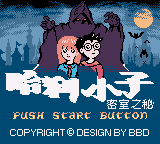
Play Ha Li Xiao Zi Di Er Bu - Mi Shi De Mi online on GBC. Begin as a frog in a side-scrolling platform adventure and collect meat to return to Harry’s human form.
Browser play
Game Boy Color (GBC) — EmulatorJS controls
Default Player 1 keyboard mapping. Change keys in Controller Settings.
| Console button | Keyboard |
|---|---|
| ↑ / ↓ / ← / → | ↑ / ↓ / ← / → |
| A / B | Z / X |
| START / SELECT | Enter / V |
Open Controller Settings to configure your keyboard or gamepad. Touch controls are available on mobile.
How to Play Ha Li Xiao Zi Di Er Bu - Mi Shi De Mi
Quick start
Learn the starting frog’s movement, then look for a safe route to a meat pickup. Check the landing before the first long jump.
Controls
Use the directional pad to move and the game’s jump and action commands. Follow the on-screen prompts when the character changes form.
Ha Li Xiao Zi Di Er Bu - Mi Shi De Mi — About this game
The frog opening changes the usual wizard-game expectation into a run-and-jump challenge. Look for meat while keeping a safe path through the terrain, and use open ground to practise the current form before attempting a crowded jump. Advance in short stretches, reading enemy positions and leaving room to recover after landing.
Cheats
No cheats have been added for this edition.
Player verification and sources
Browser play was reviewed before this edition was published in the catalogue. The date below is the catalogue publication date, not the game’s original release date.
- Browser test and catalogue publication date
- Browsers and devices
- PC: Chrome, Edge and Firefox. Mobile: Chrome on Android and Safari on iPhone and iPad.
- Player engine and core
- EmulatorJS 4.3.0-pre · gb
- Tested by
- rwEmulator
Sources and editorial basis
rwEmulator reviews edition metadata, release information, game manuals and first-hand browser-play notes. Available manuals are linked below; the editorial policy explains how facts are checked and corrections are handled.