More browsing paths
Play Happy My Sweets (Japan edition · Japanese) Online
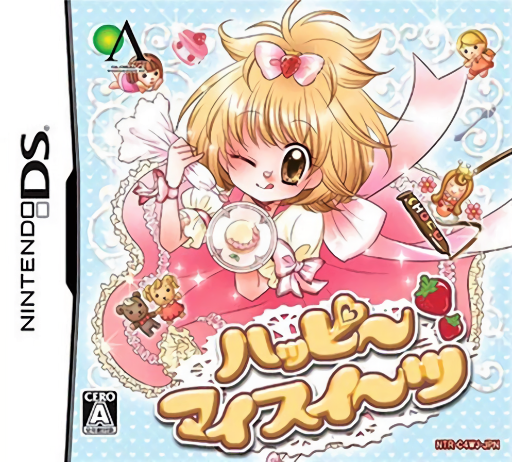
Happy My Sweets
Play Happy My Sweets online. Play a princess helping her legendary pastry-chef father in his secret shop.
Browser play
Nintendo DS (NDS) — EmulatorJS controls
Default Player 1 keyboard mapping. Change keys in Controller Settings.
| Console button | Keyboard |
|---|---|
| ↑ / ↓ / ← / → | ↑ / ↓ / ← / → |
| A / B / X / Y | Z / X / A / S |
| L / R | Q / E |
| START / SELECT | Enter / V |
| Microphone | Not assigned |
Open Controller Settings to configure your keyboard or gamepad. Touch controls are available on mobile.
How to Play Happy My Sweets
Quick start
Begin the princess’s introduction, read the first customer request and enter the sweet-making task. Pick decorations that suit the order and finish it before accepting another request.
Controls
Use the stylus to select ingredients and decorate the displayed sweet. Follow the current selection and placement prompts, then use the shown confirmation to complete the order and return to the story.
Happy My Sweets — About this game
Play a princess helping her legendary pastry-chef father in his secret shop. Customers bring worries about gifts and romance, and the sweets you decorate answer their requests as you work toward the pastry exam. More than seventy ingredients allow different designs, so read the customer’s purpose before placing decorations. Finish one order before experimenting with another combination; the shop’s relationships give each creation a story context.
Happy My Sweets Game manuals
Cheats
No cheats have been added for this edition.
Player verification and sources
Browser play was reviewed before this edition was published in the catalogue. The date below is the catalogue publication date, not the game’s original release date.
- Browser test and catalogue publication date
- Browsers and devices
- PC: Chrome, Edge and Firefox. Mobile: Chrome on Android and Safari on iPhone and iPad.
- Player engine and core
- EmulatorJS 4.3.0-pre · nds
- Tested by
- rwEmulator
Sources and editorial basis
rwEmulator reviews edition metadata, release information, game manuals and first-hand browser-play notes. Available manuals are linked below; the editorial policy explains how facts are checked and corrections are handled.