More browsing paths
Play Harvest Moon DS (US edition · Revision 1 · English) Online
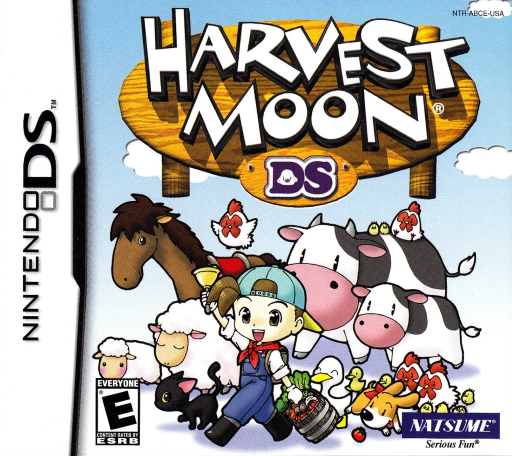
Harvest Moon DS
Play Harvest Moon DS online. Restore a farm in Forget-Me-Not Valley, find the missing Harvest Sprites and build a life through crops, animals and friendships.
Browser play
Nintendo DS (NDS) — EmulatorJS controls
Default Player 1 keyboard mapping. Change keys in Controller Settings.
| Console button | Keyboard |
|---|---|
| ↑ / ↓ / ← / → | ↑ / ↓ / ← / → |
| A / B / X / Y | Z / X / A / S |
| L / R | Q / E |
| START / SELECT | Enter / V |
| Microphone | Not assigned |
Open Controller Settings to configure your keyboard or gamepad. Touch controls are available on mobile.
How to Play Harvest Moon DS
Quick start
Start a new game and name your farmer, farm and pets. Finish the opening events, then check the books and rucksack in your house. Clear a small part of the field, equip the hoe, till soil and use seasonal seeds from the red tool slot. Water the planted ground and ship harvests or foraged items for income. Tap the lower-screen Save icon to record progress.
Controls
Move with the D-pad and hold B to run. A talks, picks up, harvests or throws a held item; Y uses the red-slot tool or puts a held item into the rucksack. X eats held food, L whistles and START pauses. R+B/R+Y cycle tools forward/backward. Tap lower-screen icons for the rucksack and Save menu; paused play does not allow touch-menu management.
Harvest Moon DS — About this game
Harvest Moon DS puts you in the boots of a young male farmer after the Witch Princess’s spell sends the Harvest Goddess and her Sprites away. Finding the Sprites becomes part of everyday farm work, from raising crops and caring for animals to fishing and mining. Seasons and stamina make daily planning matter, while tool upgrades and buildings expand what the farm can support. The valley’s residents bring festivals, friendships and courtship into that routine, giving you reasons to explore beyond the next harvest.
Harvest Moon DS Game manuals
Cheats
No cheats have been added for this edition.
Player verification and sources
Browser play was reviewed before this edition was published in the catalogue. The date below is the catalogue publication date, not the game’s original release date.
- Browser test and catalogue publication date
- Browsers and devices
- PC: Chrome, Edge and Firefox. Mobile: Chrome on Android and Safari on iPhone and iPad.
- Player engine and core
- EmulatorJS 4.3.0-pre · nds
- Tested by
- rwEmulator
Sources and editorial basis
rwEmulator reviews edition metadata, release information, game manuals and first-hand browser-play notes. Available manuals are linked below; the editorial policy explains how facts are checked and corrections are handled.