More browsing paths
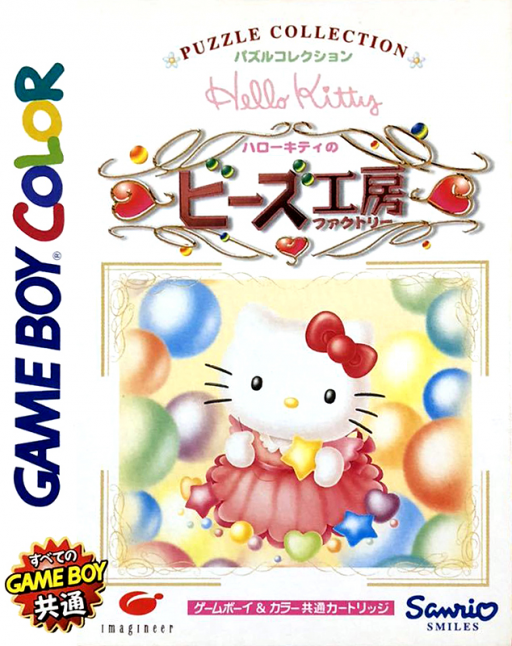
Play Hello Kitty no Beads Factory (SGB Enhanced / GB Compatible · Japan edition · Japanese) Online
Hello Kitty no Beads Factory
Play Hello Kitty no Beads Factory online on GBC. Arrange five-bead lines and fill Kitty’s bead gauge to clear stages.
Browser play
Game Boy Color (GBC) — EmulatorJS controls
Default Player 1 keyboard mapping. Change keys in Controller Settings.
| Console button | Keyboard |
|---|---|
| ↑ / ↓ / ← / → | ↑ / ↓ / ← / → |
| A / B | Z / X |
| START / SELECT | Enter / V |
Open Controller Settings to configure your keyboard or gamepad. Touch controls are available on mobile.
How to Play Hello Kitty no Beads Factory
Quick start
Choose a stage and inspect the bead colours. Select the bead or position offered, aim to complete a horizontal or vertical five, and keep building lines until the bead gauge reaches the required amount.
Controls
The directional pad moves the cursor between beads and positions. A selects or confirms a placement; B cancels where permitted. Follow the current selection prompt before committing the next bead.
Hello Kitty no Beads Factory — About this game
Plan a line before using the remaining spaces. A bead that looks convenient now may block the route for a longer row, so keep both directions in mind. The gauge gives a visible measure of progress: focus on repeatable five-bead clears rather than scattering colours without a target.
Cheats
No cheats have been added for this edition.
Player verification and sources
Browser play was reviewed before this edition was published in the catalogue. The date below is the catalogue publication date, not the game’s original release date.
- Browser test and catalogue publication date
- Browsers and devices
- PC: Chrome, Edge and Firefox. Mobile: Chrome on Android and Safari on iPhone and iPad.
- Player engine and core
- EmulatorJS 4.3.0-pre · gb
- Tested by
- rwEmulator
Sources and editorial basis
rwEmulator reviews edition metadata, release information, game manuals and first-hand browser-play notes. Available manuals are linked below; the editorial policy explains how facts are checked and corrections are handled.